

Register a database function in UDFs
Your warehouse may already hold logic nobody has rebuilt in the semantic layer: a scoring function, a currency conversion, a geography lookup your data team wrote in SQL. UDFs is where you register one of those functions, so the layer can call it under a name your authors recognise and with a signature Astrato knows.
Registering a function does not create one. The function must already exist in the database your
connection reads; this tab records where to find it, what it returns, and what it expects in what
order. A query that calls the function binds its arguments to that order. A stored measure’s formula
cannot call one: the measure fails validation with Dates and UDF calls are not supported in stored measure formulas.
Before you start: open a semantic layer and go to Semantic Model → UDFs. Have the function’s path in the warehouse to hand, with the data type of each argument and of the result. The registration is a promise about your database, and Astrato cannot verify it for you.
Register a function
Section titled “Register a function”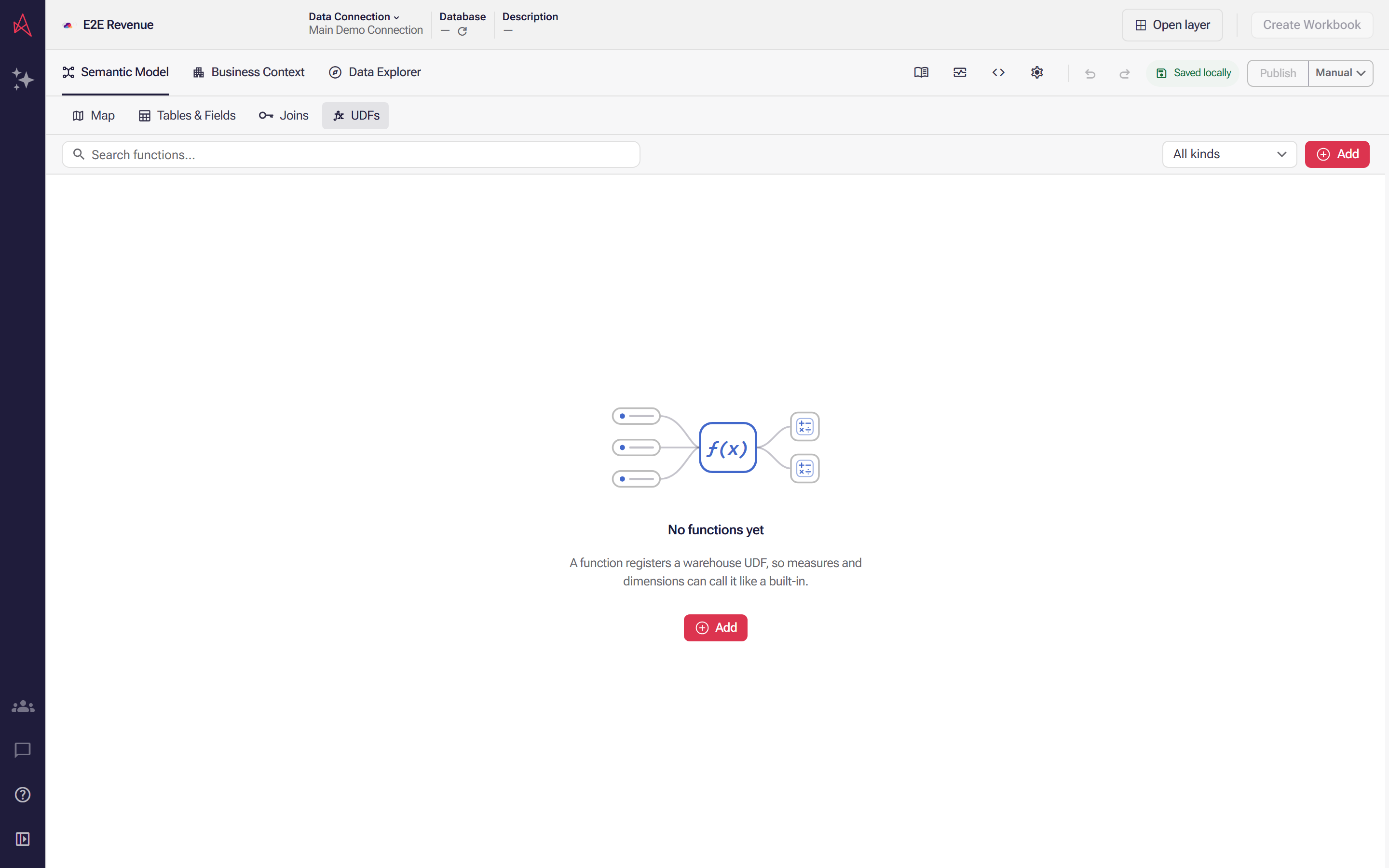
Select Add to start the first registration. UDFs is the Semantic Model's register of functions your warehouse already has, and a new layer holds none of them.
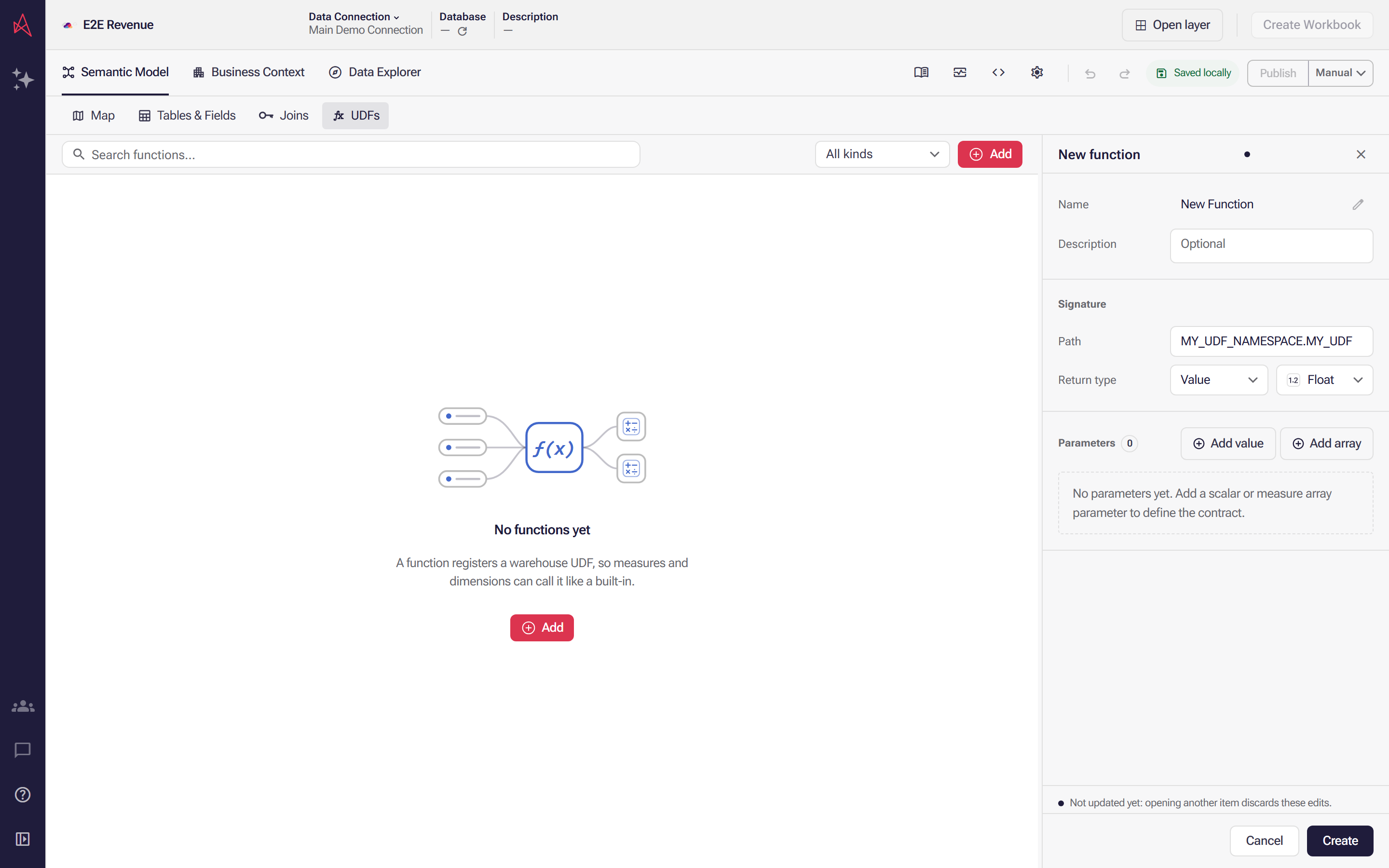
Add opens the new function in the panel on the right. Select the pen and name it the way your authors would ask for it, not the database spelling. Add a Description if the name alone will not say when to use it.
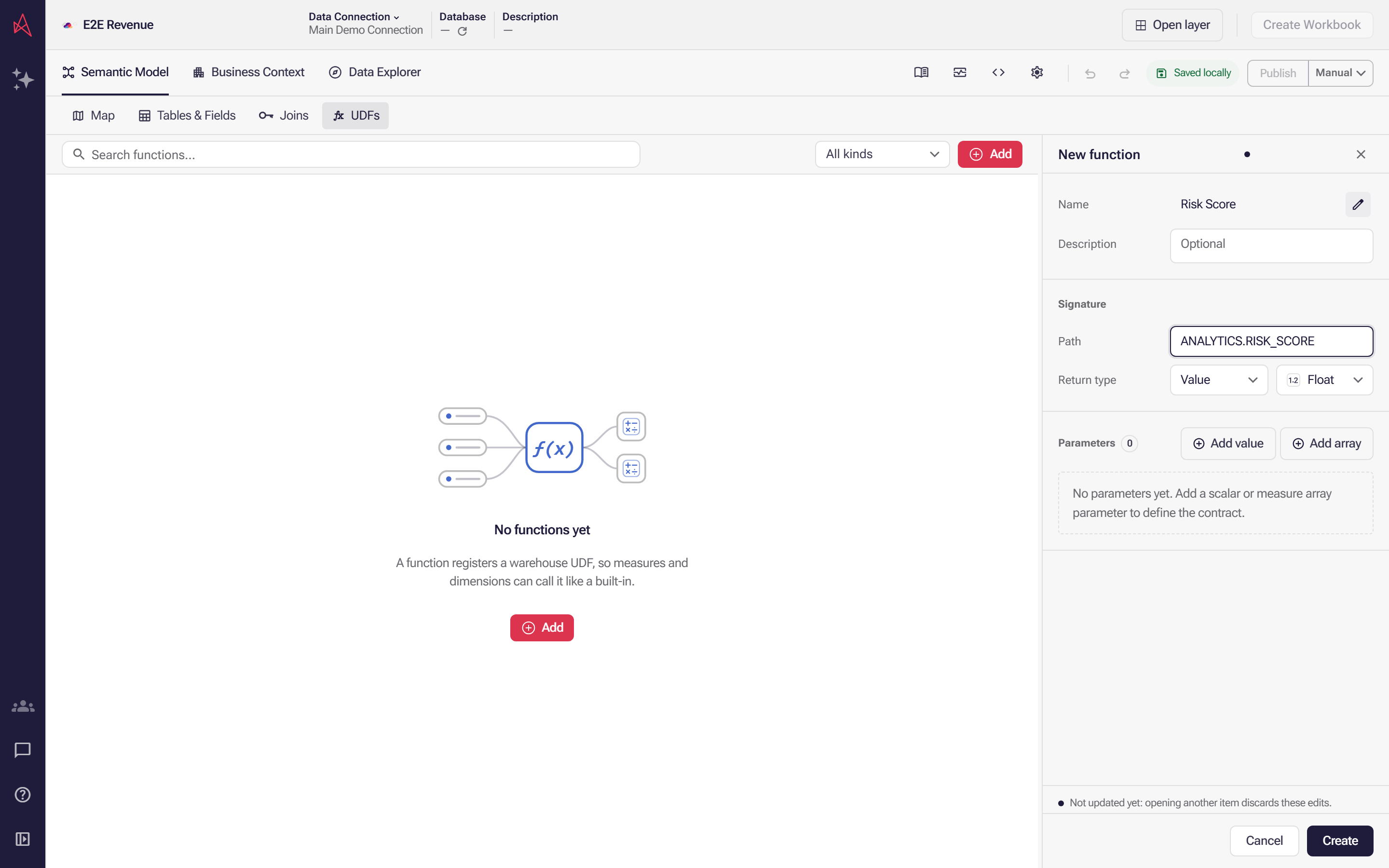
Under Signature, set Path to the function's namespace and name as the database spells it, in the form MY_UDF_NAMESPACE.MY_UDF. Astrato cannot verify it, so a wrong path surfaces only when a query fails.
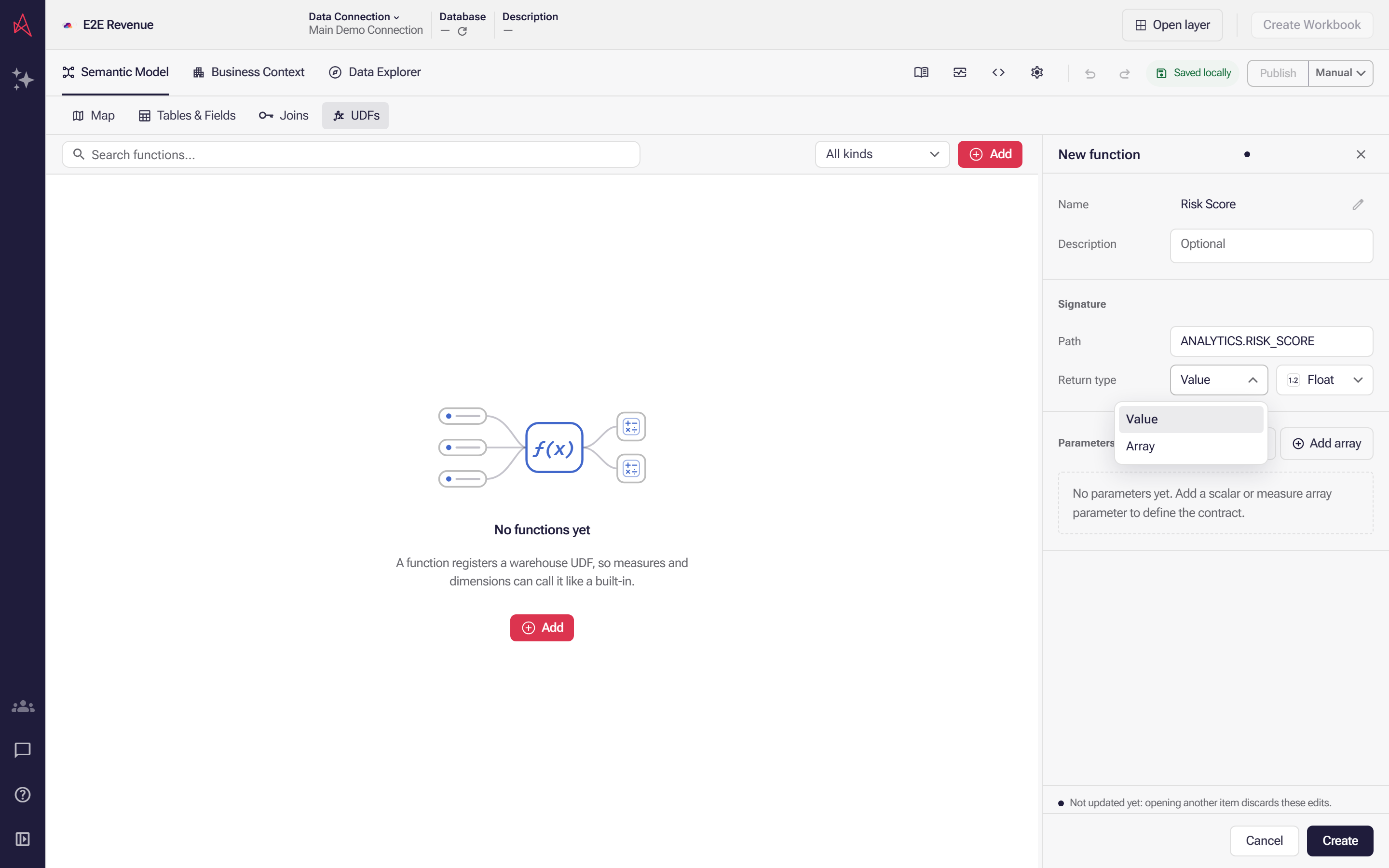
Set Return type. The first picker is the shape and decides the kind: Value registers a scalar function, Array an aggregate one. The second is the data type: String, Int, Float, Boolean or Date.
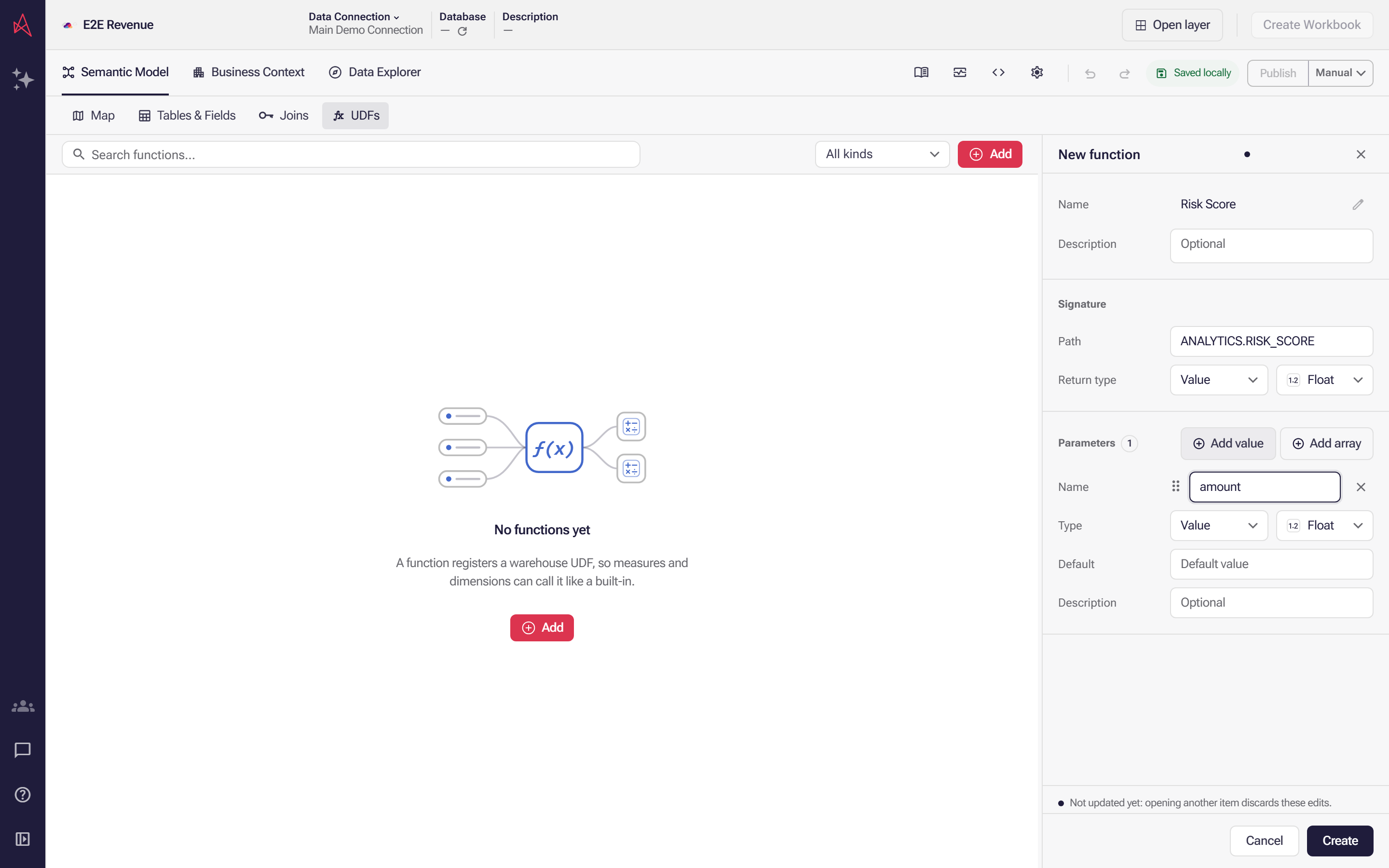
Declare the arguments under Parameters in call order: Add value adds a single value with a name, a data type and an optional Default, and Add array adds one that takes a measure's values as an array.
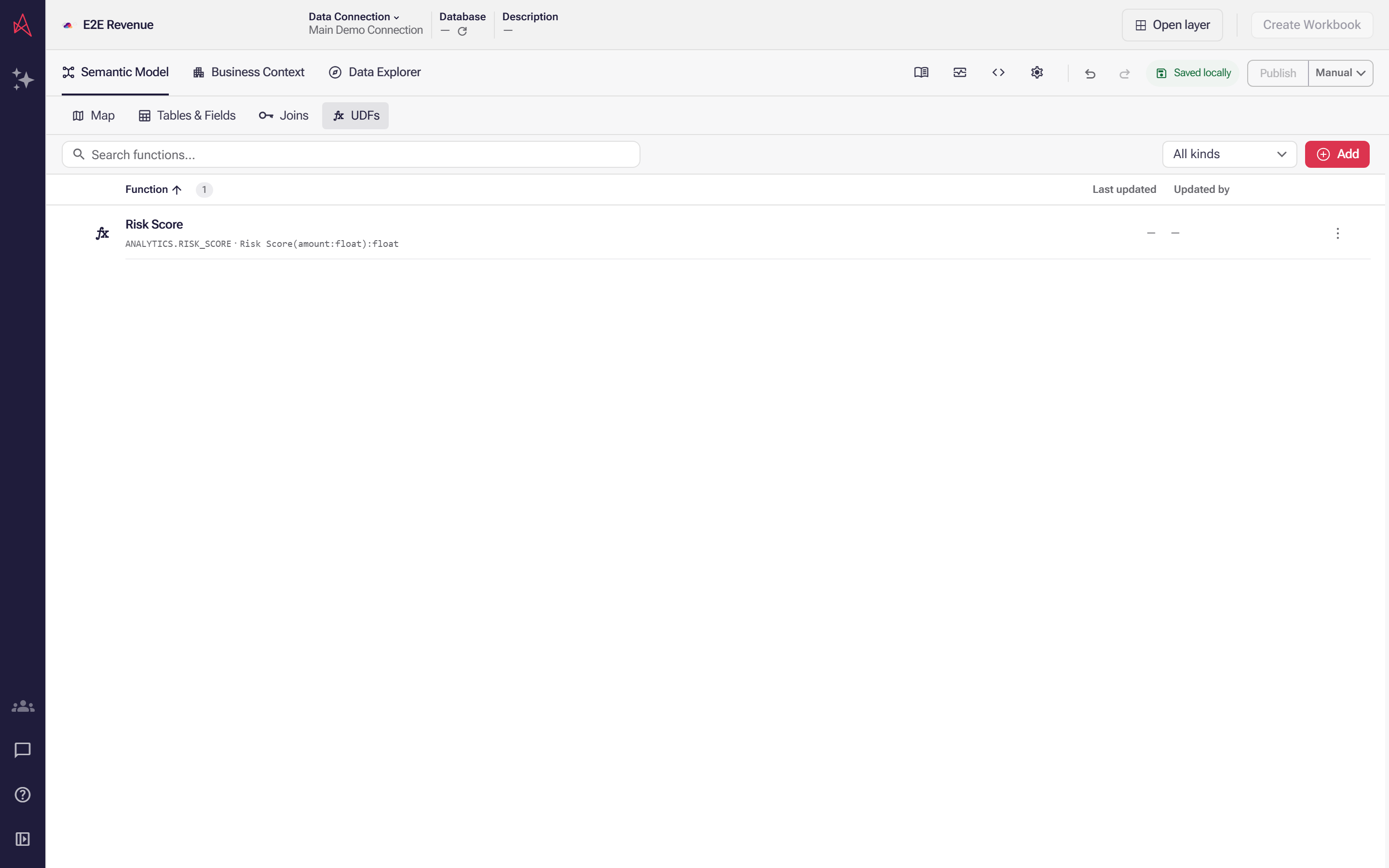
Select Create to register the function, or Cancel to back out. The saved row reads the way a call does, naming the path and the arguments in order.
While you set the return type, leave Supports distinct unticked; the reason is below.
Keep Path filled in. The Signature section is drawn only while the path has a value, so
emptying the field takes the field itself away, along with both Return type pickers and, on an
Array function, Supports distinct. Nothing is committed until you select Create or
Update: Cancel discards the edit and closes the panel, and the saved path is there when you
open the function again. Update does not check the path, though, so an emptied one can be
saved — and a function saved with an empty path cannot be repaired from this panel. Publishing
stays blocked on Function path is required., and the way out is to open Function history and
Restore an earlier revision, or to remove the function and register it again.
On an Array return type, each data type shows with [] after its name. A version comparison
reads the shape back as Kind: Scalar function or Aggregate function.
Do not tick Supports distinct in this panel. It is offered on an Array function, but the
compiler accepts it only on a function whose first parameter is a field or a field array — and this
panel cannot author one. Ticking it leaves a layer that cannot be published and cannot be queried,
with nothing in the Issues panel to say why: the validator raises no issue, so the refusal falls
back to the compiler’s own words, UDF "<name>" supportsDistinct requires an aggregate field/fieldArray first parameter. The repair is to clear the checkbox — clearing it, or switching
the return type back to Value, removes the property from the document rather than storing a
false.
On a narrow panel, Add value and Add array fold into one Add button offering Value and Array. Each parameter takes a Name, a Type — its own Value or Array shape, and its data type — and an optional Description. A value parameter also has a Default; an array parameter has none.
A parameter’s data types are the five a return type offers plus two more, millisec and
millisec_tz, which show their raw lowercase names and carry no type glyph. Both are temporal: the
engine’s millisecond form of a timestamp, millisec_tz the one that carries a time zone. An
Array parameter labels every type with a [] suffix while storing the same value.
Those seven are the only data types the document accepts. A function carried in from an older layer
can hold whatever type its old definition named, and anything outside the seven fails validation —
decimal, for one, with parameters[0].dataType: dataType "decimal" is not supported. Use one of: string, int, float, boolean, date, millisec, millisec_tz.
A new parameter arrives already filled in: named p1, p2, … taking the first free number, typed
Float, with an empty Default when it is a value parameter. Switching a parameter between
Value and Array discards its Default — the array shape has none, and switching back re-adds it
empty.
Add gives you a function that is already complete enough to save: named New Function, with
Path pre-filled as the literal MY_UDF_NAMESPACE.MY_UDF, a scalar kind and a Float return
type. Replace the path before you publish — the placeholder counts as a path, so nothing stops an
unfinished registration from publishing and the failure arrives with the first query that calls it.
An existing function’s panel shows Update in place of Create, with Remove beside it and Function history above them. Update stays disabled until something changes, and the button beside it reads Cancel while there is an edit to discard and Close when there is not.
Order is the signature. Parameters are positional: a call binds its first argument to your first parameter, its second to your second. Reordering them re-points every existing call without changing a word of it. Drag a parameter by its handle to move it, and use the remove button beside its name to delete it. Two parameters cannot share a name.
A function imported from an older layer can carry a parameter shape this panel cannot author. Where it does, the shape picker is replaced by read-only text — Dimension, Measure, Field or Field array — and only the data type stays editable.
What the list tells you
Section titled “What the list tells you”Each row carries the function’s description, its path and its signature, written as a call reads it
— Risk Score(p1:float, p2:int):float. Search matches the name, the description and the path. The
kind filter offers only the kinds the layer holds, spelled as the document spells them —
aggregate and scalar — with All kinds to clear it. Issues appears when something in the
list has a problem; Diff appears while you are comparing against another version, and narrows
the list to functions that differ.
A row’s actions menu offers Edit, Duplicate and Remove. Renaming a function that something already calls asks first: Rename and update related references carries those calls across, Rename this item only leaves them pointing at a name that has gone.
Astrato cannot tell you whether the function is still there. The source check reads tables and columns, not function signatures: database functions are listed as not checked, and the check reports Sources partially checked. A wrong path, a renamed function or a changed argument list shows up only when a query that uses it fails. So treat a change to the function in the warehouse as a repair to make here by hand.
Publishing is blocked while a registration is incomplete — a function needs a Path, a Return type, and a name and a data type on every parameter. Semantic layer issues lists what is outstanding. If a stored definition cannot be read at all, the panel shows Invalid function and offers only Delete invalid function.
Next: Semantic layer entity model describes how a query expression binds its arguments to a registered function.