

Dynamic Period Over Period Analysis
Introduction
Section titled “Introduction”Comparing periods is an essential part of any analytics process.
The ability to compare how performance changes over time is the basis of any data-driven organization.
There are several options for how to build this type of analysis in Astrato.
This article will focus on the most flexible solution using measure parameters.
-
Workbook
-
Define Variables
-
Define Actions
-
Build visualizations
-
-
Test
-
Gallery Example
Semantic Layer- Build the Measures
Section titled “Semantic Layer- Build the Measures”In this example, we’ll create three measures: current period, previous period, and period-over-period.
-
Prequists
-
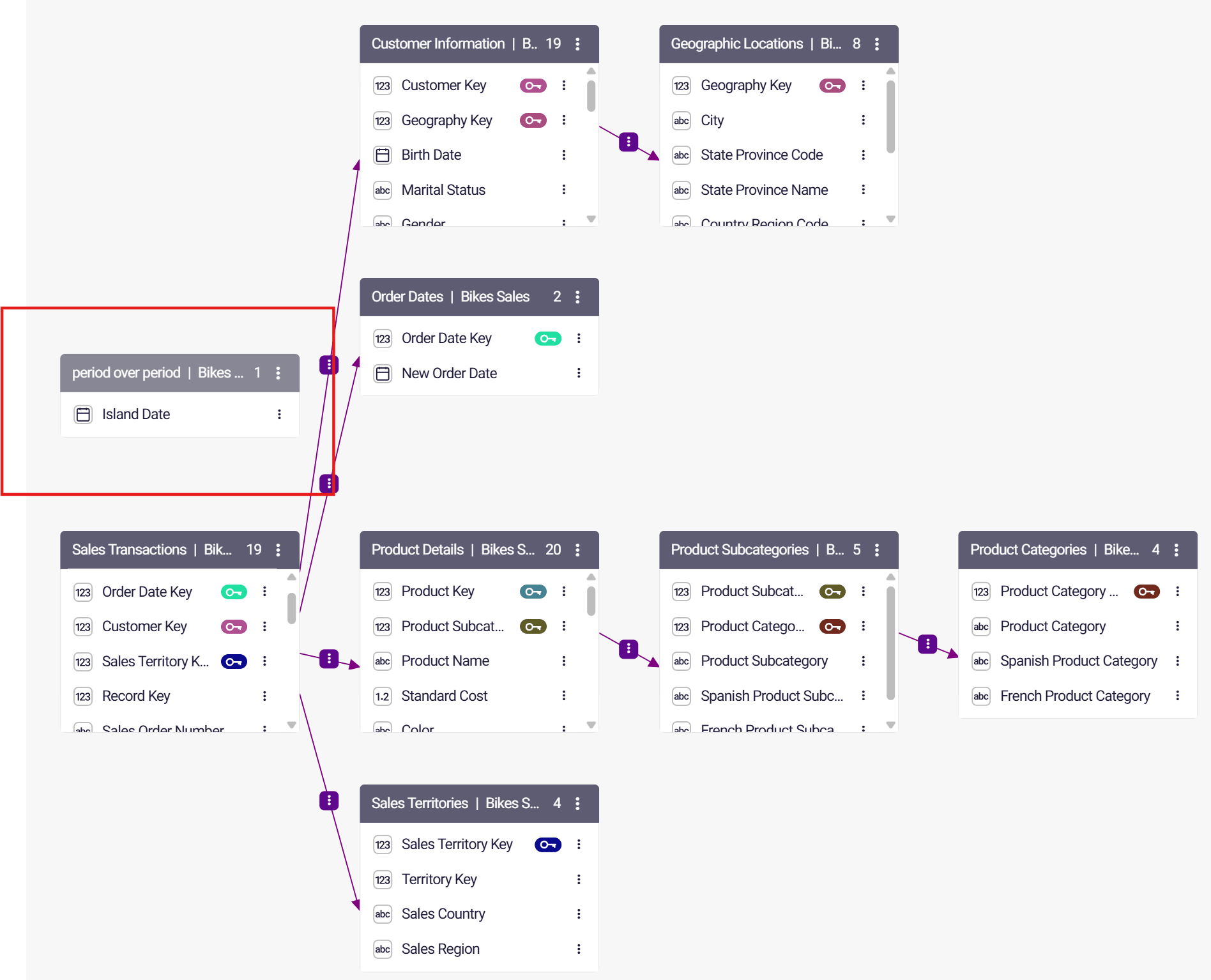
Ensure there is a table with a date field that isn’t connected to the other tables.
-
The date field used in this example should be a date type field.
-
-
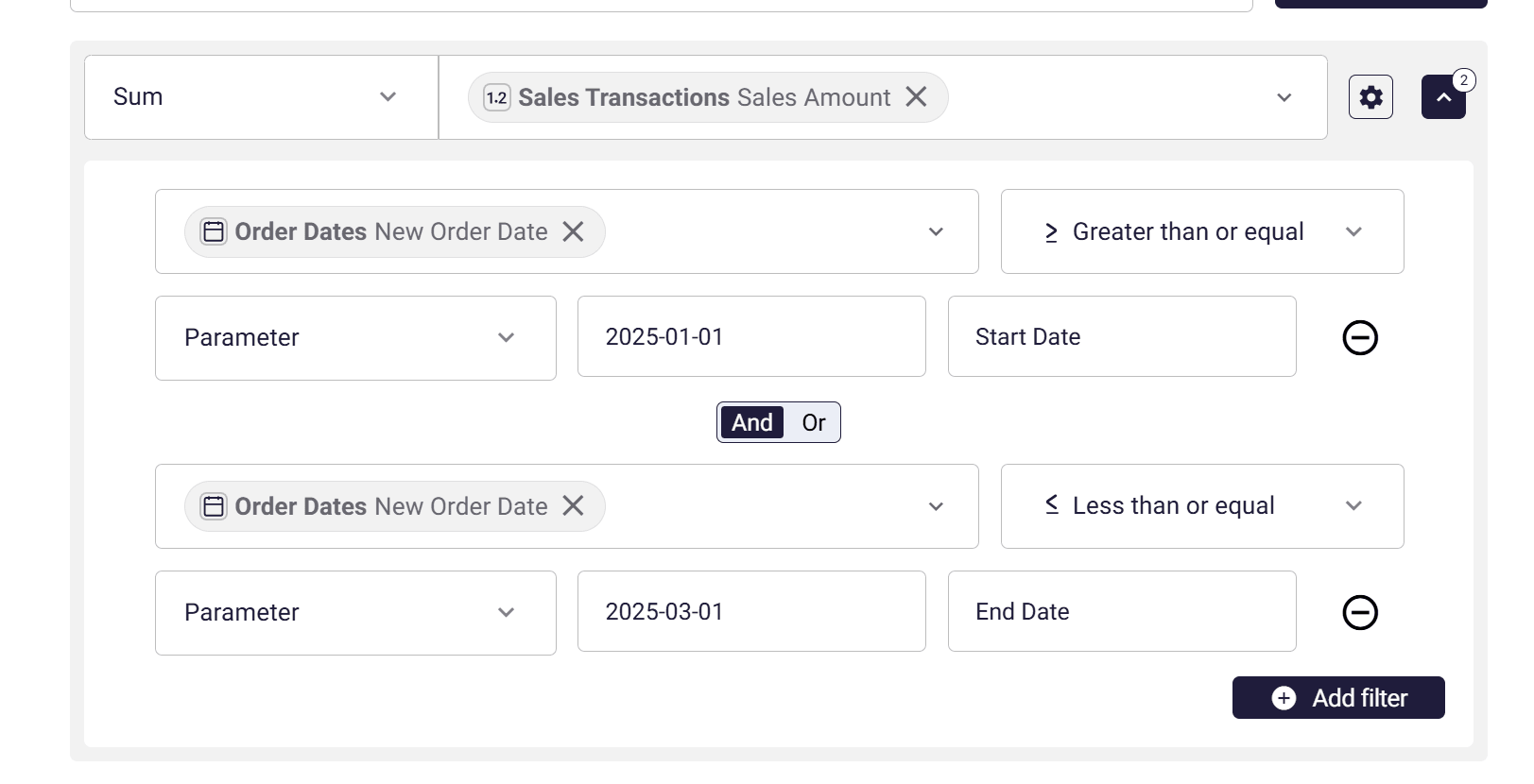
Create a new measure for the current period
-
Set the aggreagtion
-
Open the filter section in the measure and define two filters for a date field (not the date field from the island table), comparing the field to start and end parameters.
-
Create another measure for the previous period, also including parameter filters.
It’s essential to use different parameter names.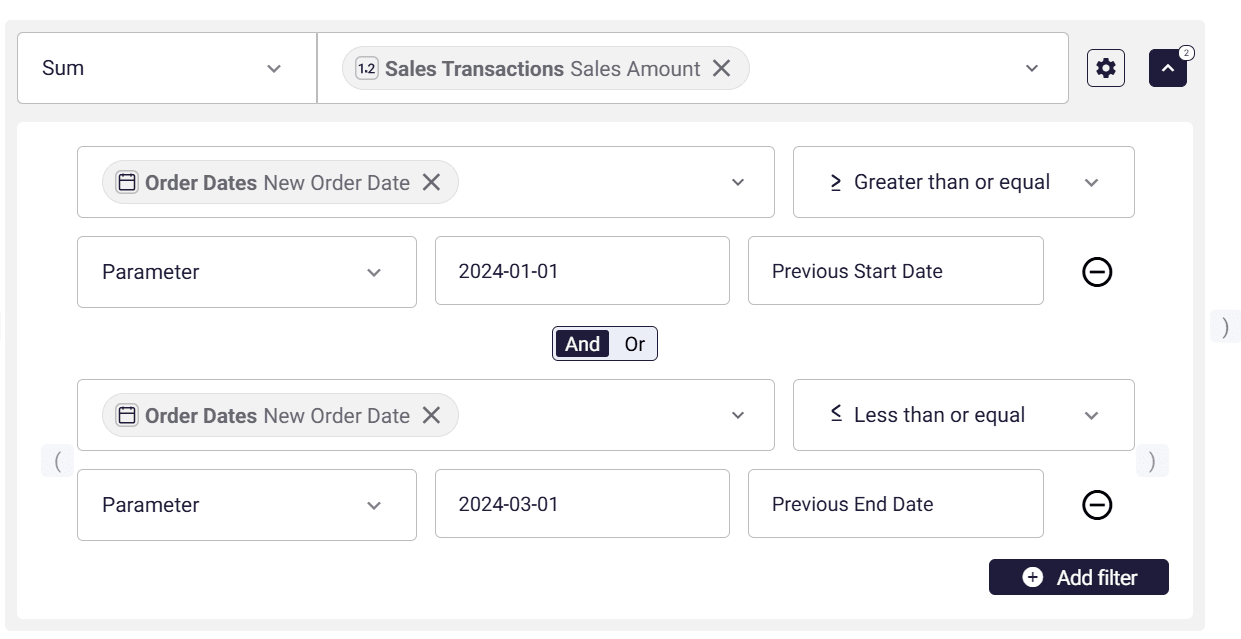
-
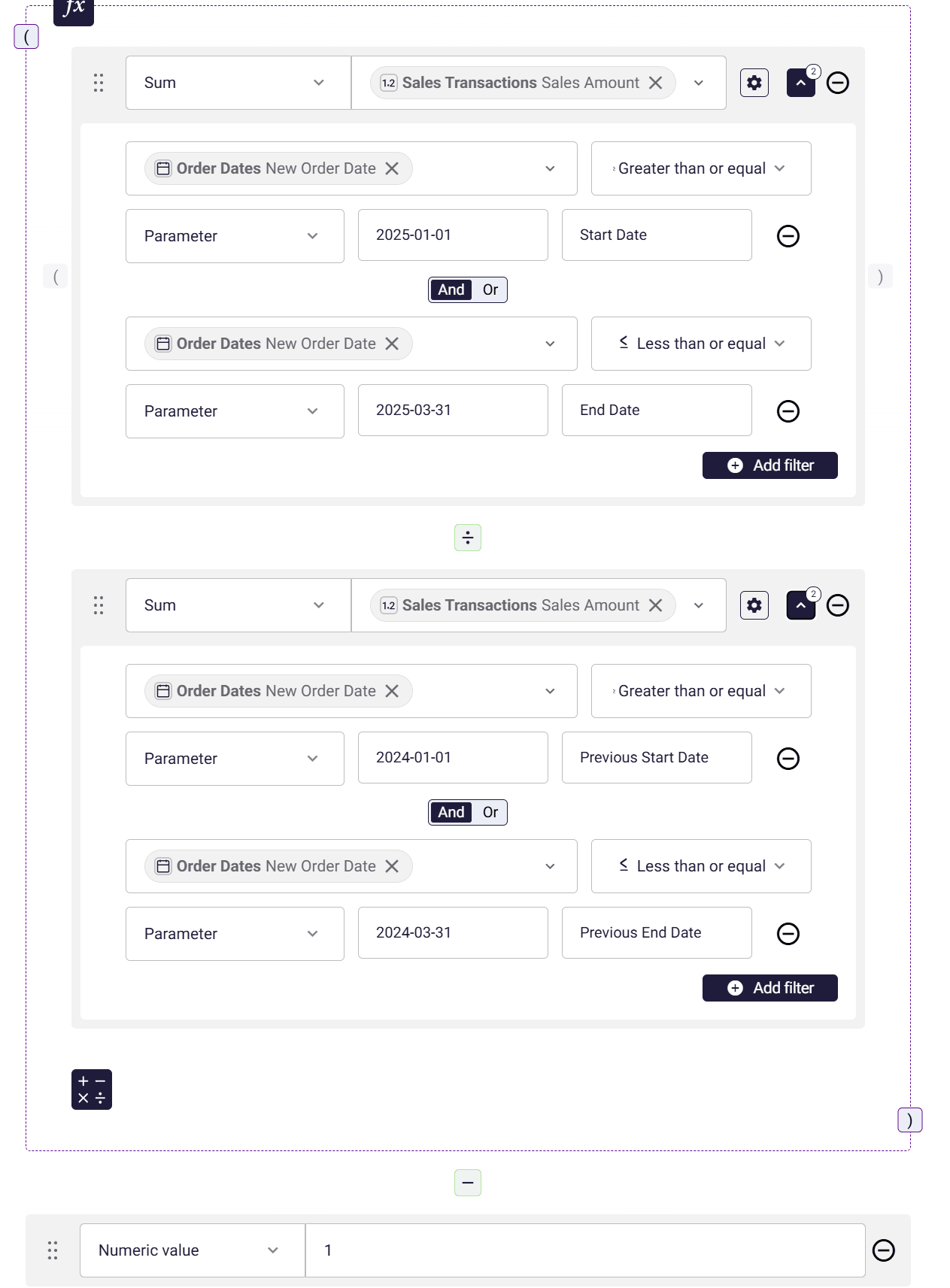
Create a measure to calculate the period-over-period, combining the two measures.
Ensure that the parameter names are identical to the parameters used in the previous measures.
-
-
Workbook
Section titled “Workbook”-
Define Variables
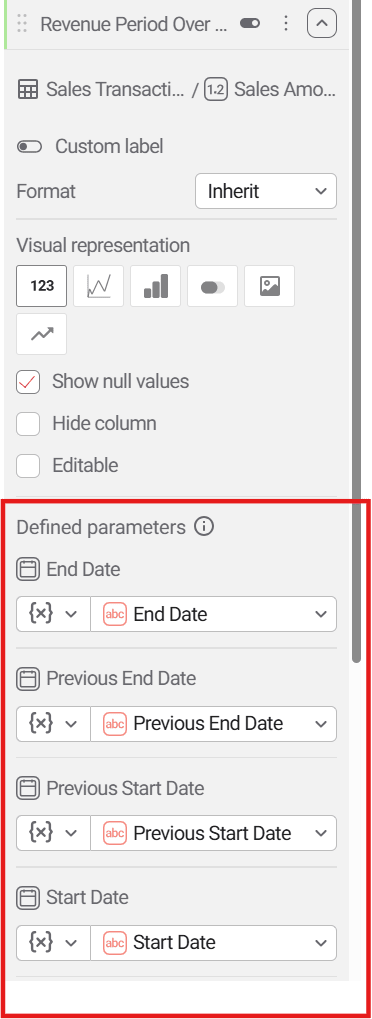
Section titled “Define Variables”Define four string variables with the same name as the parameters in the measures created in the previous step and assign them default values.
Define to Numeric variables that will get the value of the start and end of the period.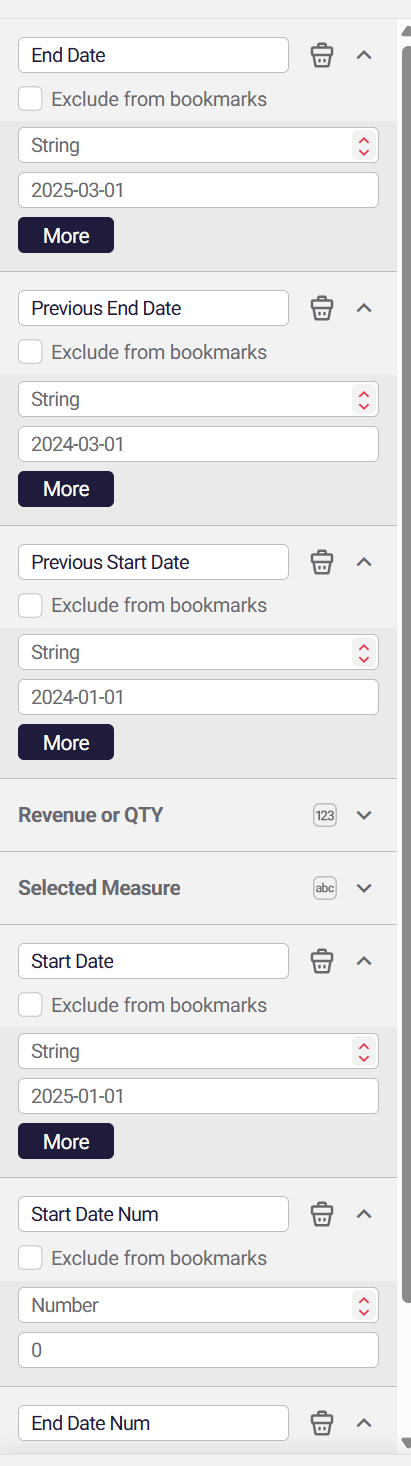
-
-
Define Actions
Section titled “Define Actions”-
Define an action that updates the variables value for periods after each selection in the island date.
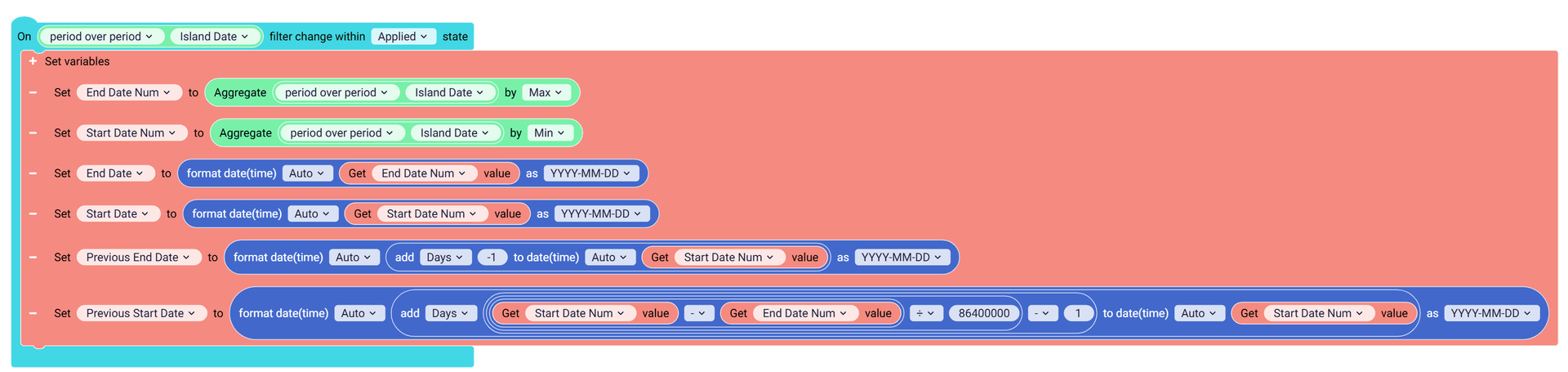
This block assigns the min and max values to the numeric variables and then calculates the values for the string variables used in the measures.
-
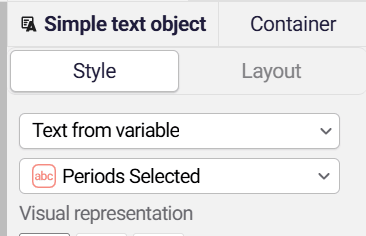
Optionally, you can add one more block that will create a text presenting the periods for the user
The action will be something like this.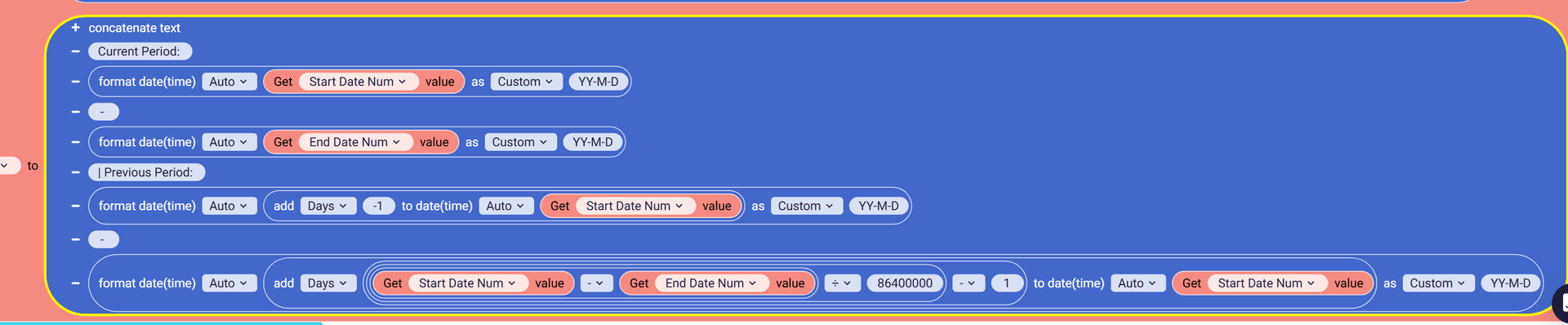
-
Duplicate the block and create an event on Workbook open to set the default periods.
In the image below the default period is set to YTD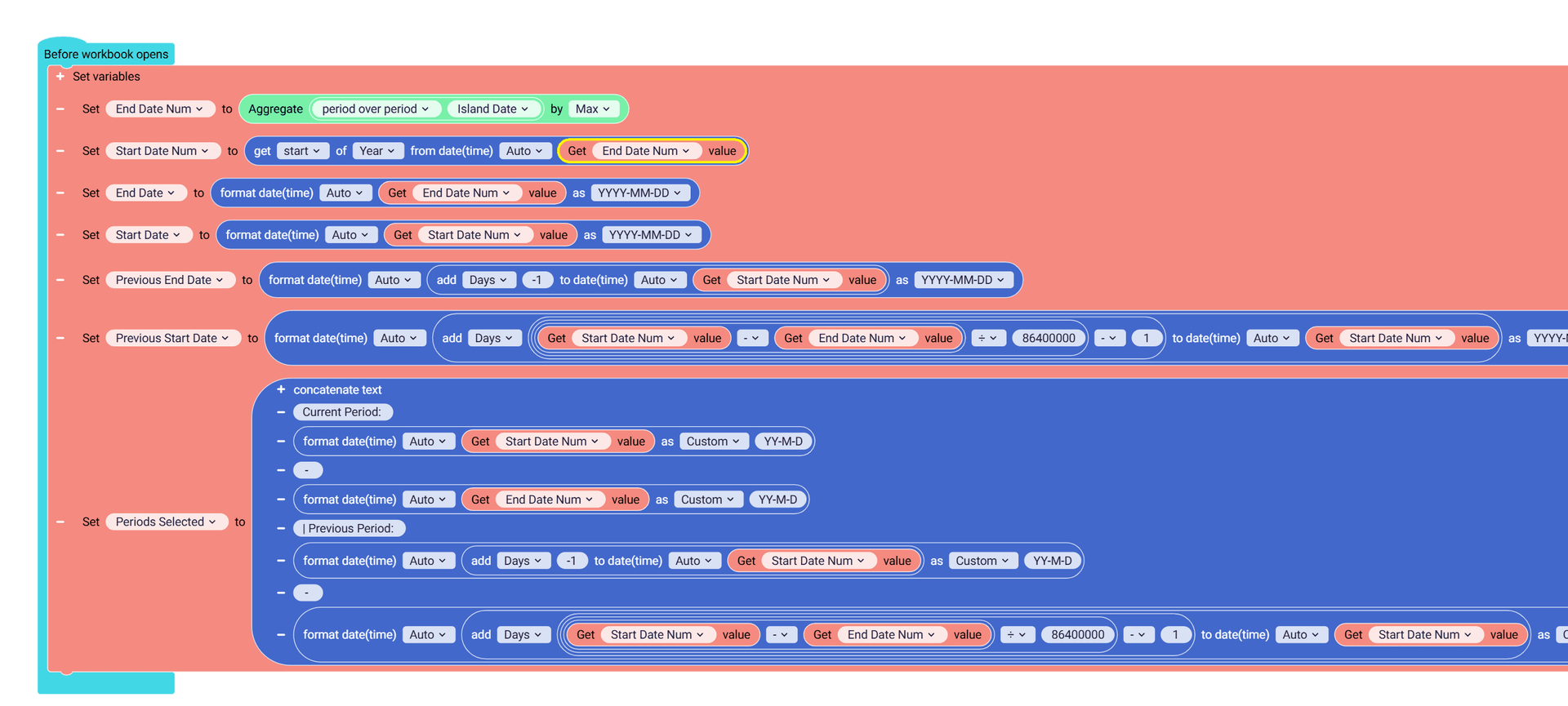
-
-
Build Visualization
Section titled “Build Visualization”-
Create a table with the three measures created and a selected dimension.
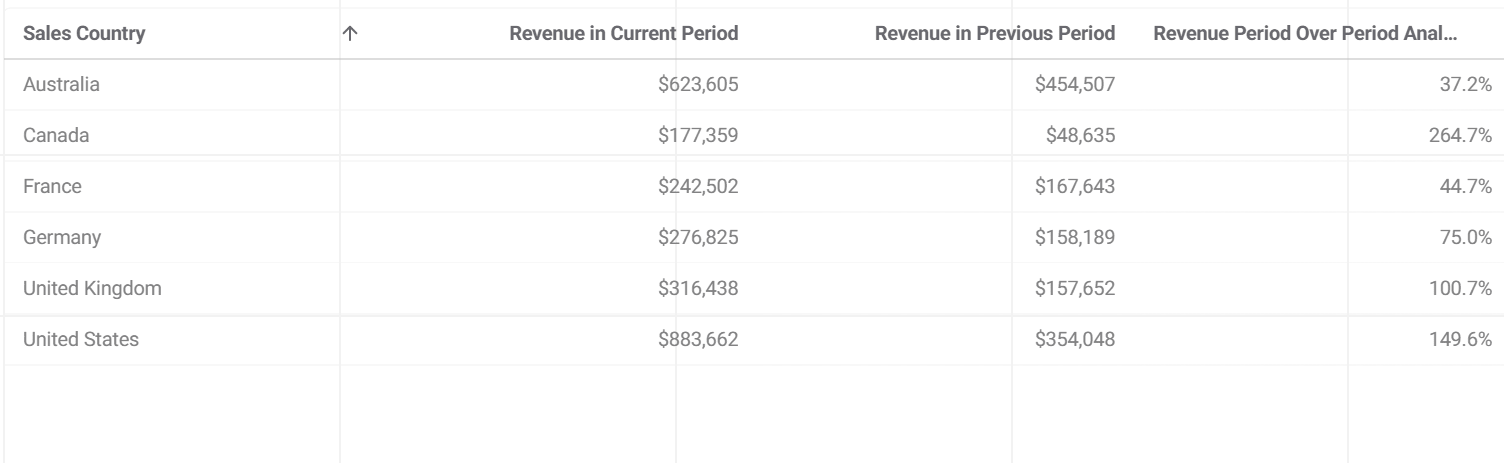
After adding the measures, ensure that the parameters are tied to the variables.
-
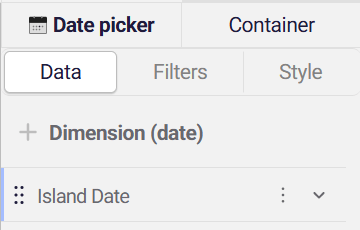
Add a Date picker control and use the island date field
-
Add a Text object and use the variable that describes the selected periods as the content.
-
-
Preview the app and test it by making a selection in the date picker.
-
Gallery Example
Section titled “Gallery Example”Import this example from Astrato’s gallery to see a complete solution
https://astrato.io/data-apps/%e2%ad%95%ef%b8%8f-funnel-io-advertising-channel-template/