

AI Natural Language Measure
Introduction
Section titled “Introduction”Measures (KPIs) are the basis for data analytics. Creating the measures isn’t always easy; it requires previous knowledge of the field in the data.
Enter the new way to build your measures; type your requirement in natural language, and Astrato will suggest how to calculate the measure.
Prerequisites
Section titled “Prerequisites”Enabling the feature in the Astrato administration console.
-
Login to Astrato with a user with an Admin role
-
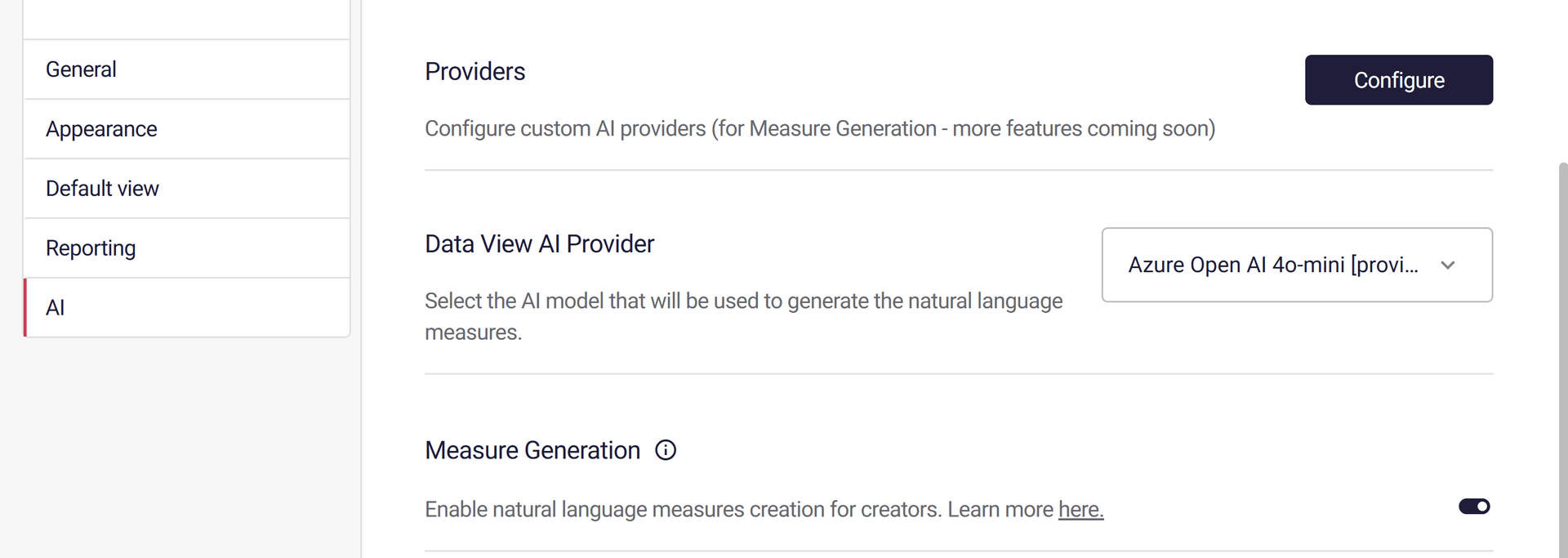
Navigate to Administration-> System Settings -> AI
-
Select a Provider and Enable the Measure Generation Feature
-
If no provider is available in the drop-down list, click Configure and define an AI provider.
Measure Generation
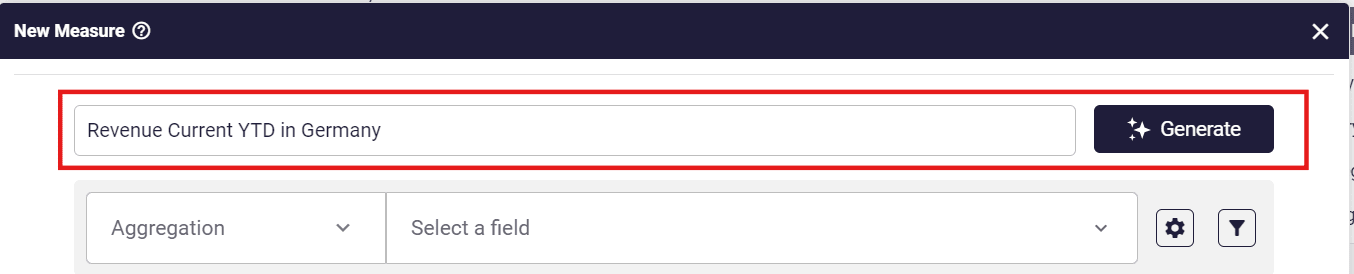
Section titled “Measure Generation”Type a measure description and click the Generate button.
When the measure is generated, the measure formula will be populated.
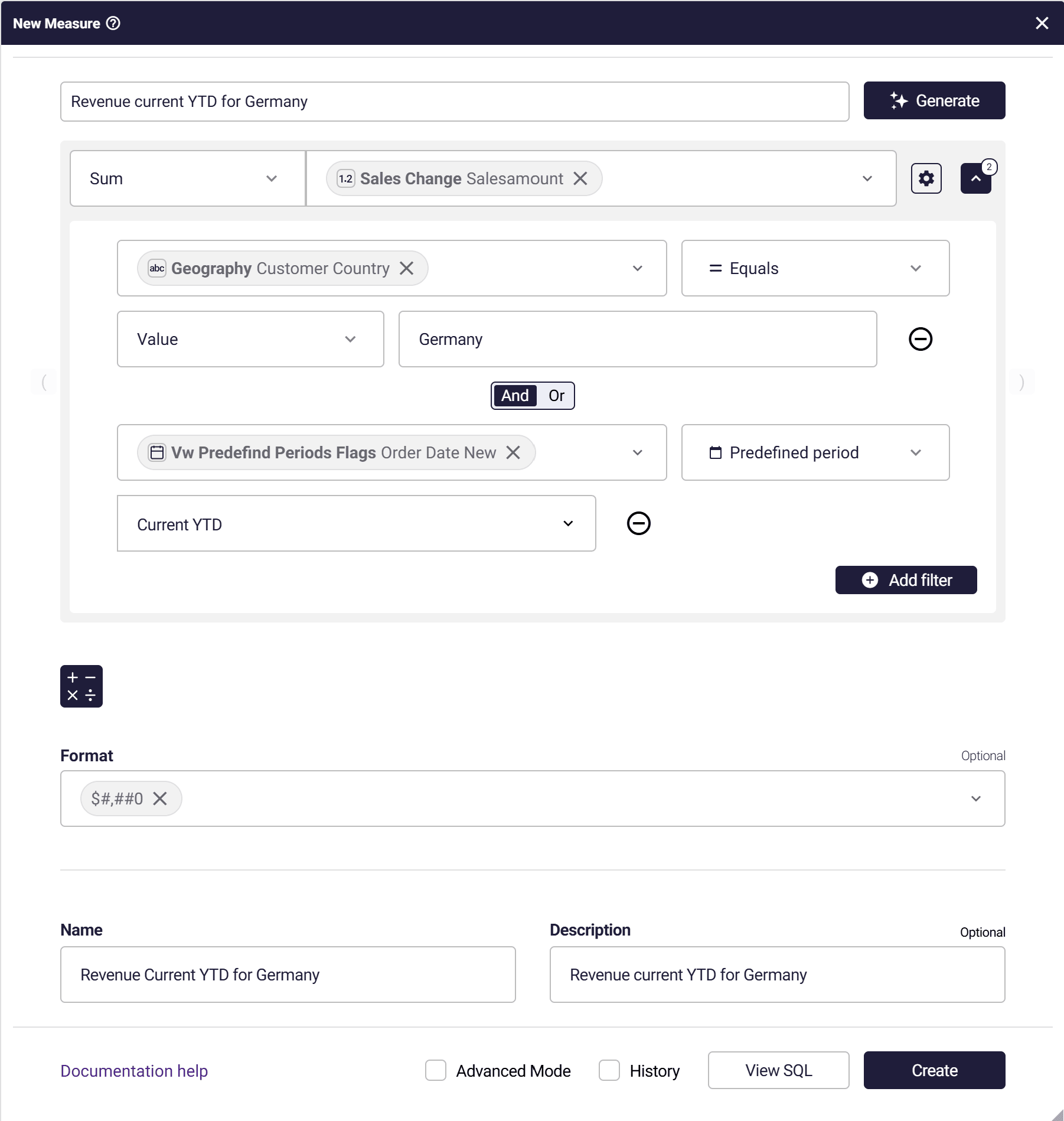
If the measure seems okay, click on Create.
Measure Validation
Section titled “Measure Validation”When the measure is created, Astrato validates the measure by querying the data.
If the query returns the value of zero or null, a warning message will appear.

There are two options:
-
Confirm- the measure will be created.
-
Cancel- back to editing the measure.
Prompts History
Section titled “Prompts History”A history check box is at the bottom of the measure form.
When checked a menu will pop-up with all previous prompts in the current session.
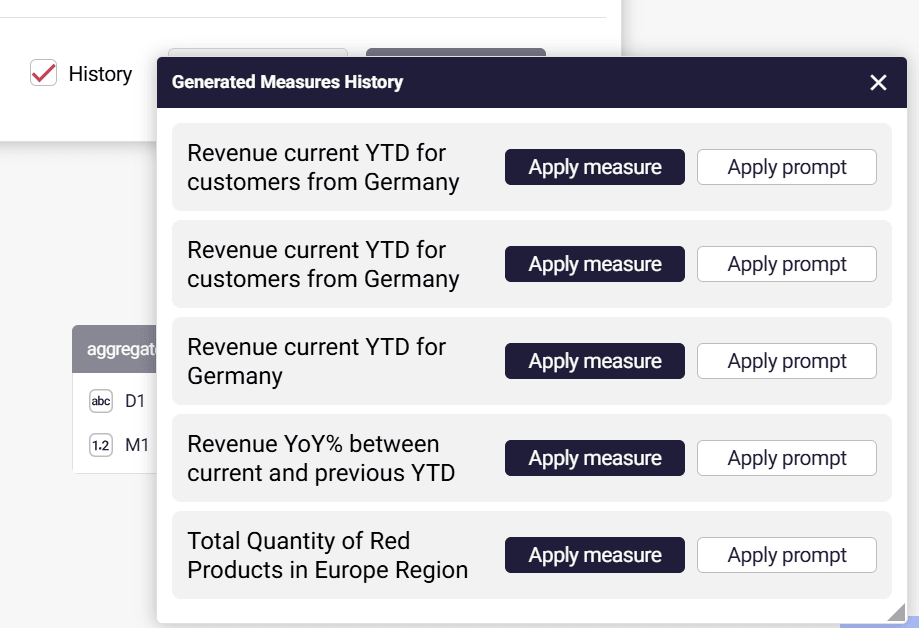
There are two options:
-
Apply measure- The full measure structure will be applied.
-
Apply prompt- The prompt will be copied to the prompt box for editing