

Create a custom Astrato Login page for your portal
Requirements
Section titled “Requirements”-
Host the login page
-
Manage username/password authentication in your portal
Preparation
Section titled “Preparation”ℹ️ User validation is required on customer portal side. New identities will become new users.
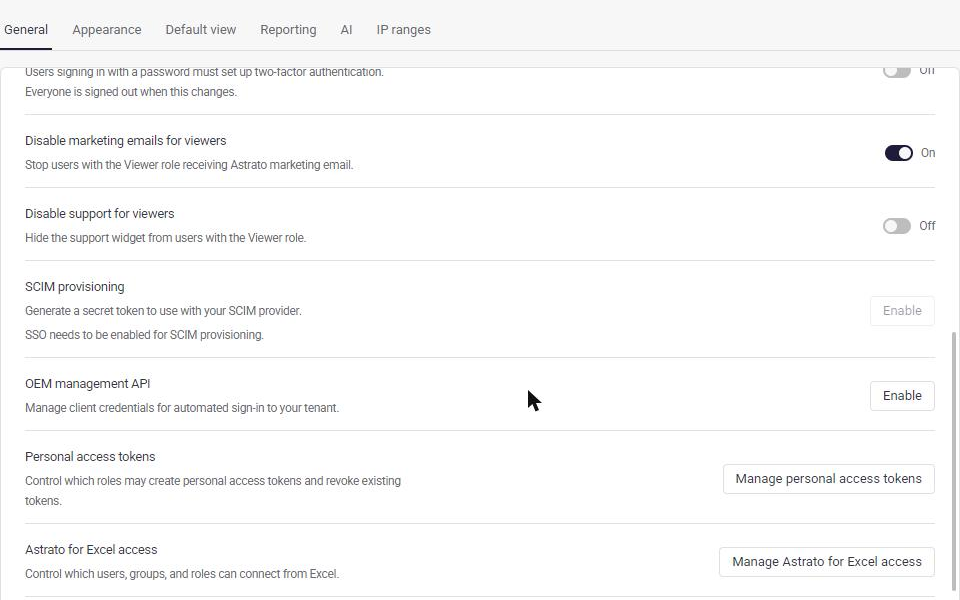
Navigate to https://app.astrato.io/administration/system-settings/general and copy the credentials for the OEM Management API. These include a key and secret.
Custom login page example file
Section titled “Custom login page example file”AI Prompt - to generate your custom login page
Section titled “AI Prompt - to generate your custom login page”Goal: Create a custom login page for Astrato using the OEM API Web Ticket authentication flow.
Tech Stack:
-
Backend: Python (Flask)
-
Frontend: Vanilla HTML/JS
Requirements:
-
Backend Implementation (
server.py):
-
Create a Flask server with a
POST /api/loginendpoint. -
The endpoint should accept an
emailin the request body. -
It must perform two API calls to Astrato:
-
Get Access Token:
POST /auth/proxy/m2m/tokenusingclientIdandclientSecret. -
Get Session Ticket:
POST /oem/setupusing theaccess_token and user
email.
-
-
Return a JSON response containing the
ticket and the configured
ASTRATO_BASE_URL.
-
-
Frontend Implementation:
-
Create a simple login page with an email input and a “Log In” button.
-
On button click, call your local
/api/loginendpoint. -
On success, redirect the top-level window to:
{base_url}/auth/proxy/oem/ticket/{ticket}?embed.
-
-
Configuration:
-
Use a
.env file to store:
-
ASTRATO_CLIENT_ID -
ASTRATO_CLIENT_SECRET -
ASTRATO_BASE_URL(default:https://app.astrato.io)
-
-
CRITICAL WARNING: Explain that the
CLIENT_IDandSECRETmust be obtained from Administration -> System Settings -> OEM Management API. Do NOT use the Google OAuth credentials from the Enterprise Authentication section.
-
-
Reference:
- Based on the Astrato OEM API Auth Documentation.