

Detail page
A detail page is opened from another page and shows one item, such as a customer, product or store. It is an item header above one of the page layouts, with every object filtered to the item.
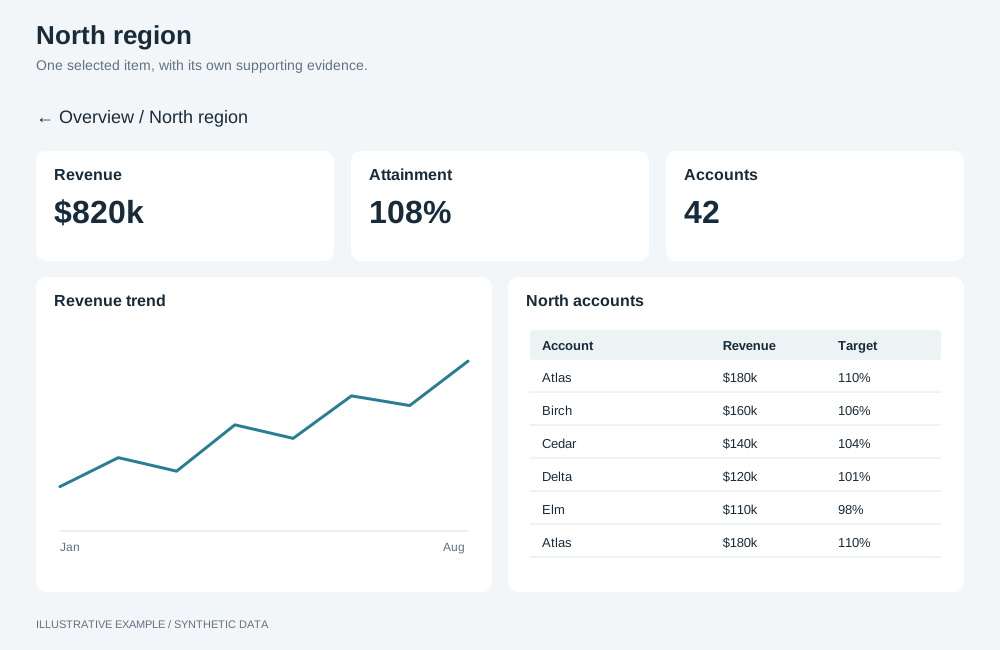
Illustrative example with synthetic data. One selected item, with its own supporting evidence.
When to use a detail page
Section titled “When to use a detail page”Use it when readers find an item on an overview and need more about it than the overview has room for.
| The page is mainly | Use instead |
|---|---|
| A list and the selected item on the same page | Master–detail |
| Two to four items side by side | Compare page |
Choose a body
Section titled “Choose a body”- Is the item mainly a set of records to read, such as orders or tickets? Use a table-first body.
- Otherwise, use a KPI-led body.
| Body | Use cases |
|---|---|
| KPI-led | A customer’s revenue, orders and satisfaction. A store’s sales against target |
| Table-first | A supplier’s purchase orders. An account’s support tickets |
Structure
Section titled “Structure”┌───────────────────────────────┬──────────────┐│ Item name · attributes │ ‹ › Back │├──────┬──────┬──────┬──────────┴──────────────┤│ KPI │ KPI │ KPI │ KPI │├──────┴──────┴──────┴─────────────────────────┤│ Body: a KPI-led or table-first layout │└──────────────────────────────────────────────┘- Open the page with the item applied as a selection in the page’s selection group, so every object follows it. Keep the selections applied on the page the reader came from, and on the way back remove only the item selection; see Filters and selections. When the page came from a master–detail list, keep the item selected on the way back: it is the list’s pick.
- Selections are held in memory and a reload loses them; see App limitations.
- The item header is a band above the board. Add it to
--above-boardon the element that contains both, as in Bands above the board:
.item-page { --above-board: calc(var(--item-header-h) + var(--gap));}Add the same amount to the body’s scrolling threshold. For the KPI-led grid body: 728 + 72 + 16 = 816.