Excel functions
The Astrato Excel Add-in adds these functions to Excel. They all start with ASTRATO. and you type them like any other formula.
ASTRATO.TABLE — pull in a whole dataset
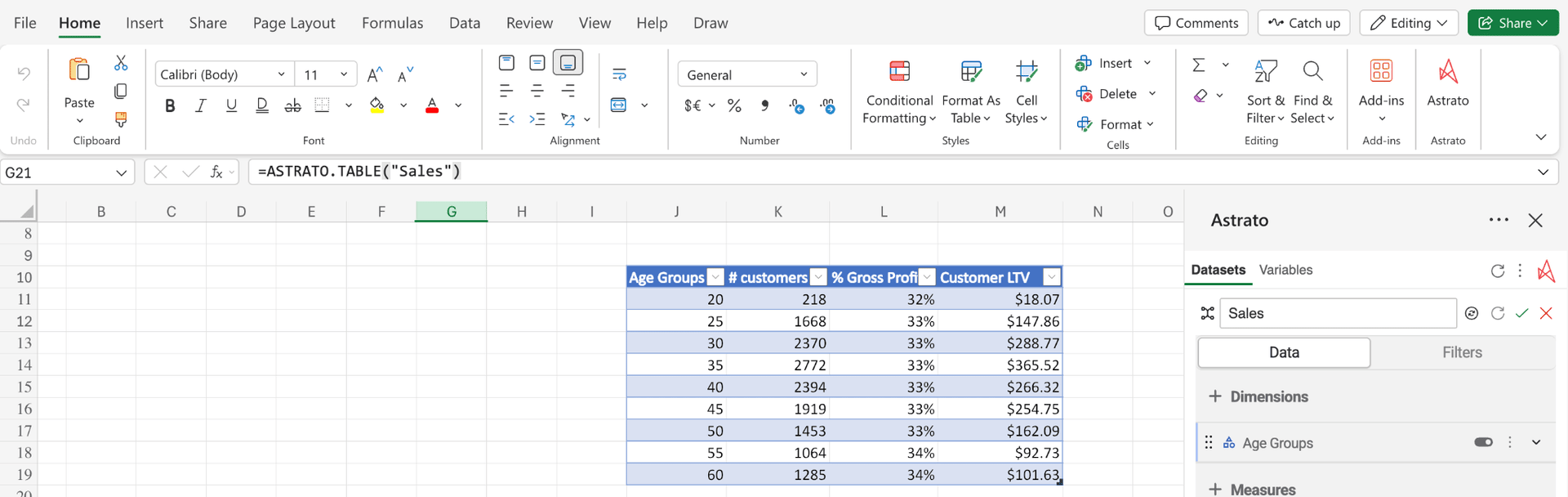
Section titled “ASTRATO.TABLE — pull in a whole dataset”=ASTRATO.TABLE("Sales")The first argument is your dataset’s name. The result is a header row plus the data, spilled down and to the right, so leave that space empty.
ASTRATO.LASTUPDATED — when the dataset was last refreshed
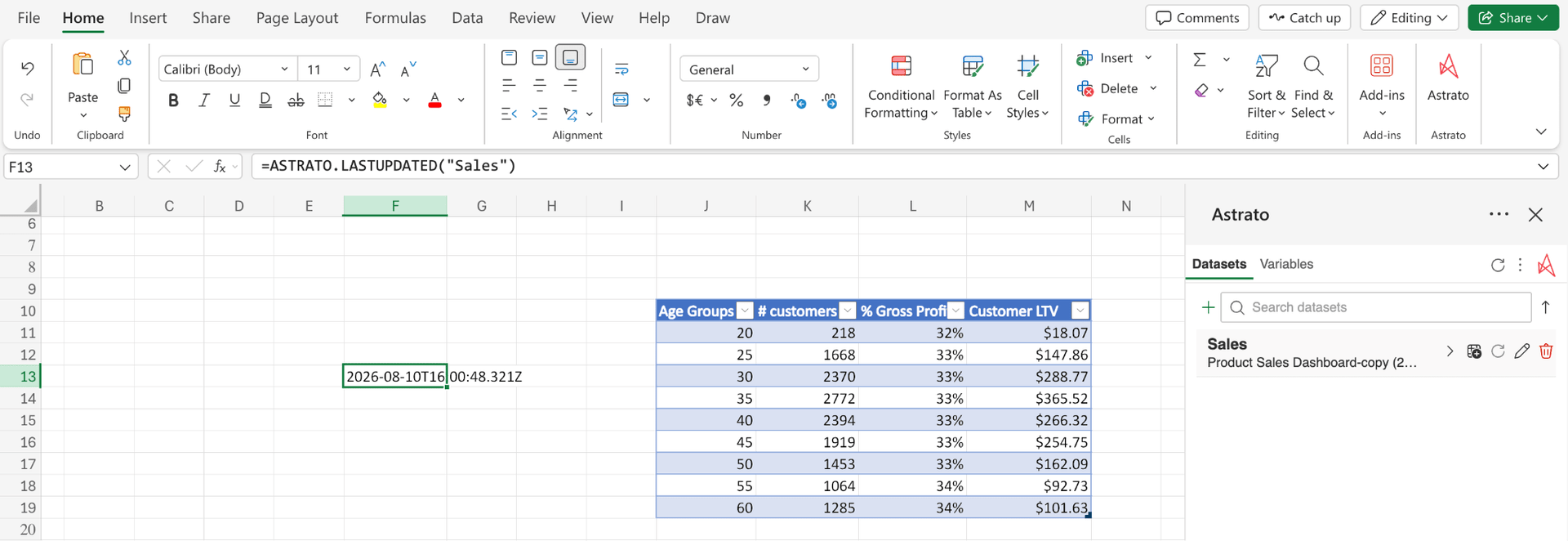
Section titled “ASTRATO.LASTUPDATED — when the dataset was last refreshed”=ASTRATO.LASTUPDATED("Sales")Put it next to a table so readers of the sheet can see how current the numbers are.
ASTRATO.PARAMETER — change how a measure calculates
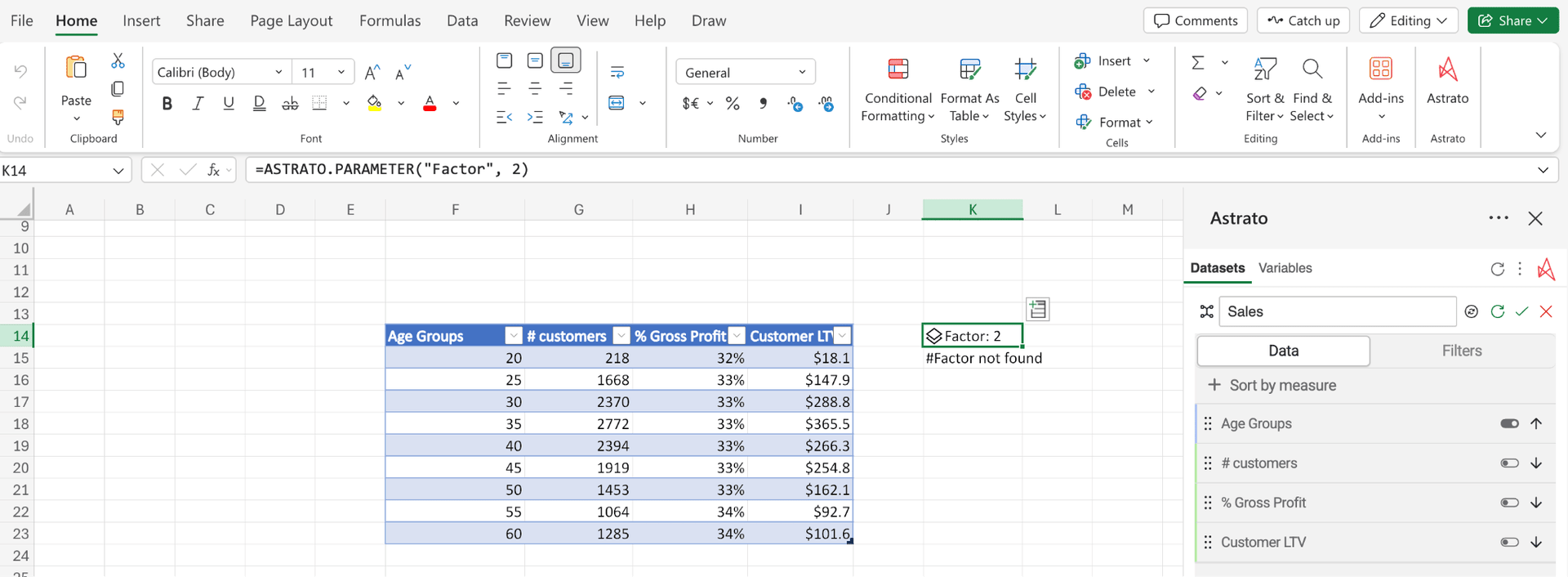
Section titled “ASTRATO.PARAMETER — change how a measure calculates”=ASTRATO.PARAMETER("Factor", 2)Use this to override a named parameter on an Astrato measure for a single formula. The cell reads Factor: 2, and an ASTRATO.TABLE formula that refers to it uses that value.
ASTRATO.VARIABLE — override a variable for one formula
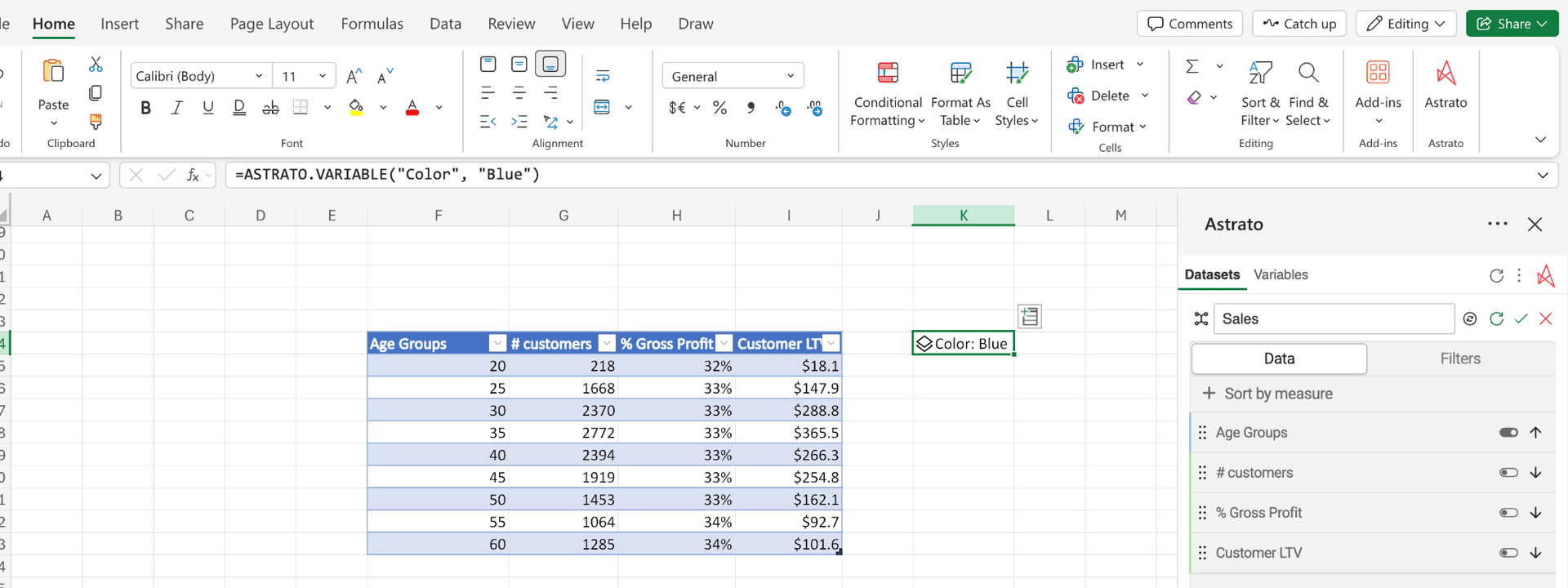
Section titled “ASTRATO.VARIABLE — override a variable for one formula”=ASTRATO.VARIABLE("Color", "Blue")Use this to give one of your add-in variables, the ones in the panel’s Variables list, a different value for one formula. The saved variable does not change. For how variables differ from measure parameters (ASTRATO.PARAMETER), see Parameters vs variables.
Turning a filter off with NA()
Section titled “Turning a filter off with NA()”This works when a dataset filter is already driven by a variable (see Use variables). Passing Excel’s NA() as the variable’s value tells Astrato to ignore it, so the filter is off for that query:
=ASTRATO.TABLE("Dataset1", ASTRATO.VARIABLE("SalesRegion", NA()))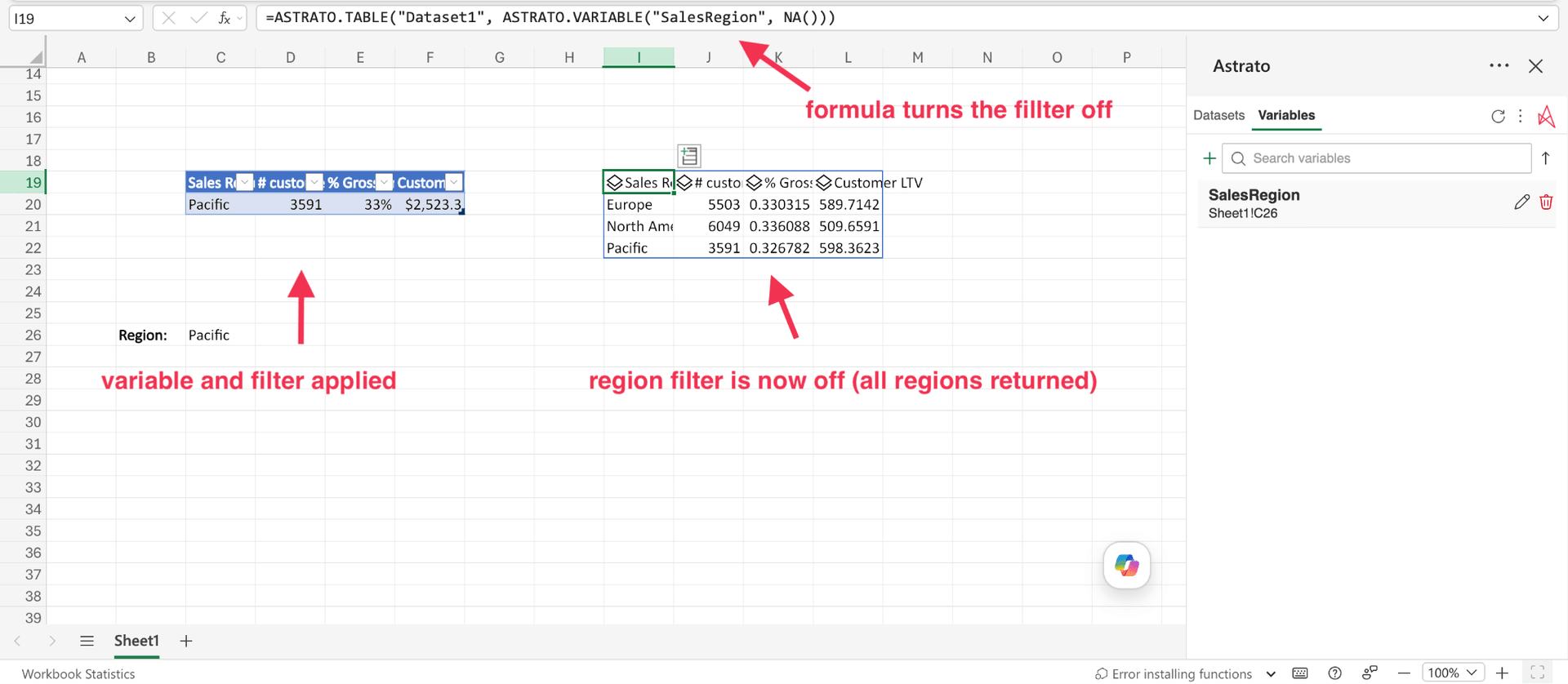
A few examples to copy
Section titled “A few examples to copy”| Formula | What it does |
|---|---|
=ASTRATO.TABLE("Sales") |
Pulls the dataset |
=ASTRATO.LASTUPDATED("Sales") |
Shows when it was last refreshed |
=ASTRATO.TABLE("Sales", ASTRATO.PARAMETER("Factor", 2)) |
Pulls it with a parameter override |
=ASTRATO.TABLE("Sales", ASTRATO.VARIABLE("Color", "Blue")) |
Pulls it with a variable override |
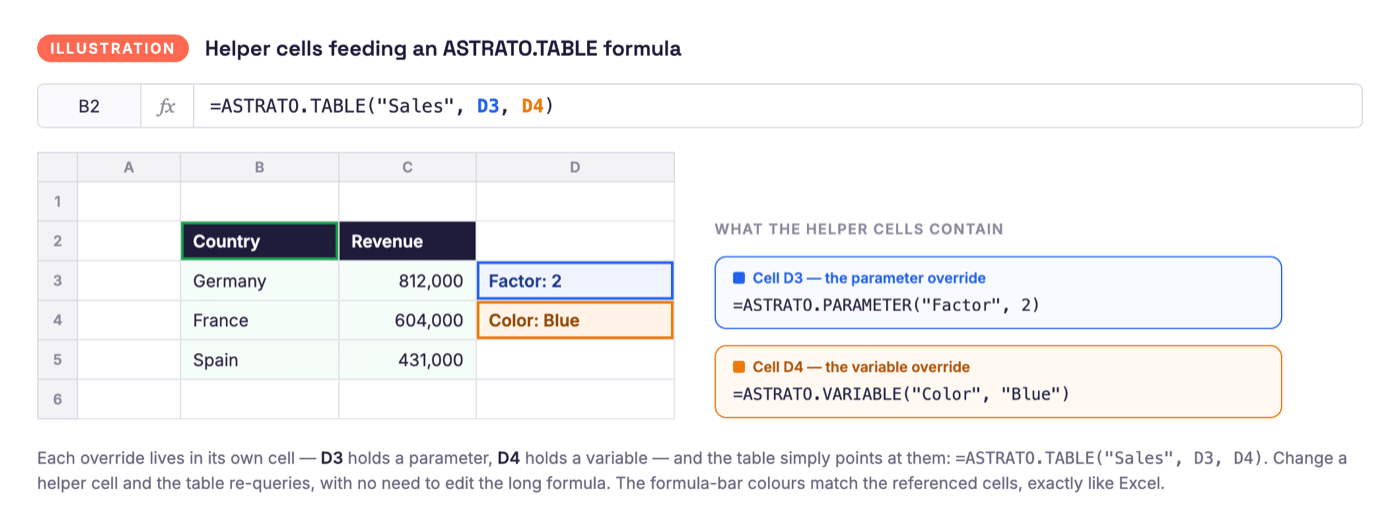
=ASTRATO.TABLE("Sales", D3, D4) |
Pulls it with overrides held in helper cells |
In the last example, D3 holds =ASTRATO.PARAMETER("Factor", 2) and D4 holds =ASTRATO.VARIABLE("Color", "Blue").
If a formula does not spill or returns an error, see Troubleshooting.