

Loaders
There are two loaders. The boot loader holds the page until the Data App runtime and your field lookups are ready. A loading placeholder stands in for one object while it loads. When a placeholder shows is covered in Object states.
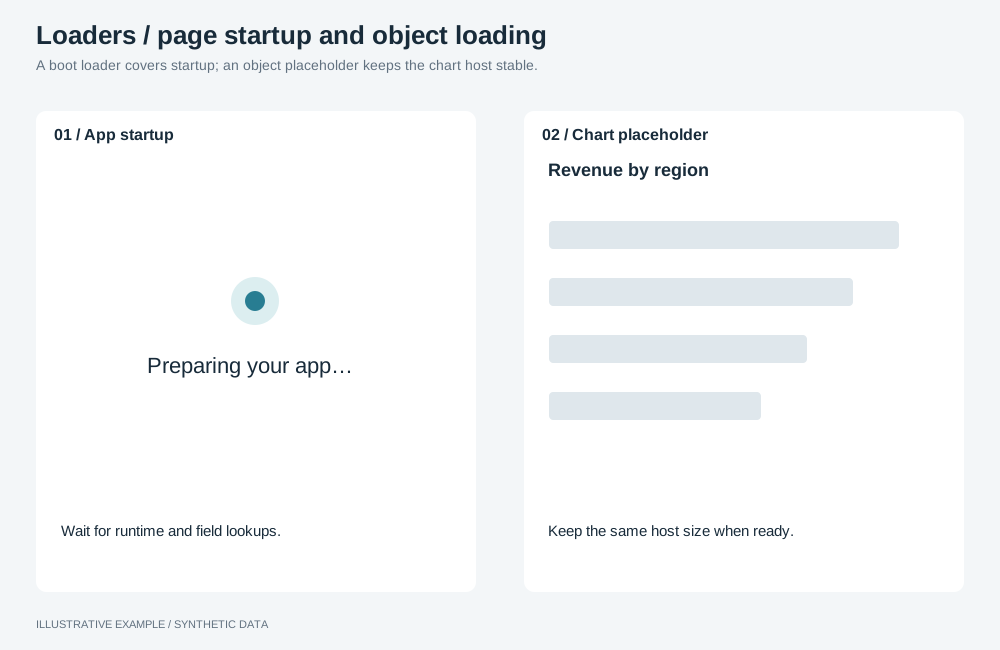
Illustrative example with synthetic data. A boot loader covers startup; an object placeholder keeps the chart host stable.
When to use a loader
Section titled “When to use a loader”Use the boot loader on every page and a placeholder on every object that queries.
| The page needs | Use |
|---|---|
| A message for an object that failed, timed out or has no data | Object states |
| A notice that a background action finished or failed | Toasts |
| A loading state in the data dialog | See Open the dialog immediately |
Choose a placeholder
Section titled “Choose a placeholder”- Is the object a single number? Use value.
- Is it a table? Use rows.
- Is it a line or area chart? Use line.
- Otherwise, use bars.
| Shape | Draws | Common use cases |
|---|---|---|
| Value | A block for the value and a shorter one for the change | A mounted number object |
| Rows | A header row and body rows | Orders, tickets, a top-ten list |
| Line | A band across the plot | Revenue by week |
| Bars | Four bars of different heights | Sales by region, pie, treemap and other charts |
Markup
Section titled “Markup”Put the boot loader in the HTML file, so it shows before the script runs:
<main id="main" aria-busy="true" tabindex="-1"> <div class="boot" role="status"> <span class="boot__spinner" aria-hidden="true"></span> <p class="boot__message">Loading dashboard…</p> </div> <!-- the board, rendered by the script --></main>The placeholder goes in the card’s state layer, before the message:
<div class="skeleton skeleton--bars" aria-hidden="true"><span></span><span></span><span></span><span></span></div>Rows use one <span> per row, value two and line one. The blocks are aria-hidden; the card’s
aria-busy reports loading.
:root {  --skeleton: color-mix(in srgb, var(--ink) 10%, transparent);}
.boot {  display: grid;  place-content: center;  justify-items: center;  gap: 12px;  min-height: calc(100svh - var(--header-h));  color: var(--muted);  text-align: center;}.boot__message {  margin: 0;}.boot__spinner {  width: 24px;  height: 24px;  border: 3px solid var(--skeleton);  border-top-color: var(--muted);  border-radius: 50%;  animation: spin 1s linear infinite;}.boot[data-failed] .boot__spinner {  display: none;}@media (prefers-reduced-motion: reduce) {  .boot__spinner {    animation-duration: 3s;  }}@keyframes spin {  to {    transform: rotate(1turn);  }}
/* The placeholder fills the state layer while loading only. */.chart[data-state='loading'] > .chart-state {  place-content: stretch;  justify-items: stretch;  padding: 0;}.chart[data-state='loading'] .chart-state__message {  display: none;}.chart:not([data-state='loading']) .skeleton {  display: none;}
.skeleton {  display: grid;  gap: 8px;  min-height: 0;  overflow: hidden;  padding: 8px 0;}.skeleton > span {  border-radius: calc(var(--radius) / 2);  background: var(--skeleton);}.skeleton--bars {  grid-template-columns: repeat(4, minmax(0, 1fr));  align-items: end;  gap: 8%;  padding-inline: 8%;}.skeleton--bars > :nth-child(1) {  height: 55%;}.skeleton--bars > :nth-child(2) {  height: 85%;}.skeleton--bars > :nth-child(3) {  height: 40%;}.skeleton--bars > :nth-child(4) {  height: 70%;}.skeleton--line {  grid-template-rows: minmax(0, 1fr);  align-items: center;}.skeleton--line > span {  height: 24px;}/* 20px blocks with an 8px gap; match your table's row height. */.skeleton--rows {  grid-auto-rows: 20px;  align-content: start;}.skeleton--rows > :first-child {  background: color-mix(in srgb, var(--ink) 16%, transparent);}.skeleton--value {  align-content: center;}.skeleton--value > :nth-child(1) {  width: 60%;  height: 32px;}.skeleton--value > :nth-child(2) {  width: 35%;  height: 14px;}
/* Shimmer only when the reader has not asked for reduced motion. */@media (prefers-reduced-motion: no-preference) {  .skeleton > span {    background: linear-gradient(        90deg,        var(--skeleton) 40%,        color-mix(in srgb, var(--ink) 4%, transparent) 50%,        var(--skeleton) 60%      )      0 0 / 300% 100%;    animation: shimmer 1.6s linear infinite;  }}@keyframes shimmer {  from {    background-position: 100% 0;  }  to {    background-position: 0 0;  }}
The placeholder sits in the state layer, which shares the host’s cell, so the host has the same size loading and loaded. Under reduced motion, the blocks stay still and the spinner slows down rather than stopping.
Behaviour
Section titled “Behaviour”Boot: report failures, do not hang
Section titled “Boot: report failures, do not hang”createAstratoApp() rejects rather than waiting indefinitely: a bootstrap request that exceeds
timeoutMs rejects with timed_out. The default is 15 seconds per request. Show the error with its
request ID and a Reload button; see Errors.
import { AstratoAppRuntimeError, createAstratoApp } from '@astrato-io/app-runtime';
declare function init(app: Awaited<ReturnType<typeof createAstratoApp>>): Promise<void>;
const main = document.querySelector<HTMLElement>('#main');const boot = document.querySelector<HTMLElement>('.boot');const message = document.querySelector<HTMLElement>('.boot__message');if (!main || !boot || !message) throw new Error('Boot loader markup not found.');
const fail = (text: string, requestId?: string) => {  boot.dataset.failed = '';  message.textContent = requestId ? `${text} Request ID: ${requestId}.` : text;  const reload = document.createElement('button');  reload.type = 'button';  reload.textContent = 'Reload';  reload.addEventListener('click', () => location.reload());  boot.append(reload);  main.removeAttribute('aria-busy');};
const start = async (): Promise<void> => {  try {    const app = await createAstratoApp();    // Definitions and mounting. Each object reports its own failure, such as a missing field.    await init(app);    boot.remove();    main.removeAttribute('aria-busy');  } catch (error) {    console.error(error);    if (error instanceof AstratoAppRuntimeError) {      const detail = error.response?.error;      fail(detail?.message ?? `The dashboard could not start (${error.code}).`, detail?.requestId);    } else {      fail(error instanceof Error ? error.message : 'The dashboard could not start.');    }  }};
void start();- Do not retry automatically; Reload leaves the choice to the reader.
- Stop here only for what every object needs, such as the runtime or its metadata. A missing field fails its own object; see Look every field up by name.
- Remove the boot loader once objects are mounted, not after they render, so a slow object does not hold the page.
- For a structured error that needs its own wording, such as an app that must be published again, see Page states.
Placeholder
Section titled “Placeholder”Choose the shape when you build the card. For a figure you query yourself, show the placeholder on the first load only.
Updating figures
Section titled “Updating figures”When an input, a filter or a drill re-queries figures you draw yourself — KPI values, deltas and sentences computed from results — mark them as updating until the newest answer lands, so the previous values are not read as the answer to the new input:
- Keep the previous values on screen, faded, with a shimmer through the text itself, so they can still be read but not taken for the new answer. Nothing moves and nothing is covered.
- Ghost the figures and sentences only; titles, labels and captions keep their colour.
- Fade the graphics drawn from the same answer, such as sparklines, with the figures.
- Start the mark on the first
inputevent of a slider, not when the debounced value commits. - Clear it when the newest request settles, whether it succeeds or fails; a superseded answer clears nothing.
- Mounted objects draw their own loader; do not add one over them.
:root[data-updating] :is(.kpi-value, .kpi-change, .summary) { color: transparent; background: linear-gradient( 100deg, color-mix(in srgb, var(--ink) 30%, transparent) 40%, color-mix(in srgb, var(--ink) 75%, transparent) 50%, color-mix(in srgb, var(--ink) 30%, transparent) 60% ) 0 0 / 300% 100%; background-clip: text; animation: shimmer 1.6s linear infinite;}:root[data-updating] .kpi-trend { opacity: 0.35;}@media (prefers-reduced-motion: reduce) { :root[data-updating] :is(.kpi-value, .kpi-change, .summary) { animation: none; background: none; color: color-mix(in srgb, var(--ink) 30%, transparent); }}