

Connecting to Databricks
Introduction
Section titled “Introduction”This article shows you how to connect your Astrato workspace to Databricks. It’s designed to be a quick process and easy to follow.
There are two options to connect to Databricks:
- Personal Access Token: this is the fastest and simplest way to connect.
- OAuth connection: This is the more secure, flexible option
Oauth Integration
Personal Access Token
Section titled “Personal Access Token”Connection data required
Section titled “Connection data required”When setting up your data connection, you’ll need to know:
-
Host: workspace URL (example: XXXXXXXXXXXXXXX.X.gcp.databricks.com).
-
Port: (optional) - 443 will be used if left empty.
-
Http Path: Warehouse URL (example: /sql/1.0/warehouses/XXXXXXXXXXXXXXXX) , you’ll need to add 1.0 as the version.
-
Personal Access Token: you can create a personal access token following this process.
Creating the data connection to Databricks
Section titled “Creating the data connection to Databricks”-
Select Data in the sidebar
-
Create Data to open the Create New Data Source screen
-
Click on the Databricks icon
-
A dialogue box displays to Connect to Databricks (Figure 1)
-
Complete the required fields in the connection dialogue box
-
Enter the database name, Data Source/connection name, and click and click Test Connection.
-
If the credentials work, a window is open to select the catalog to connect to.
(figure 2)
Please note: if a duplicate is created, a timestamp is added to the data source name.
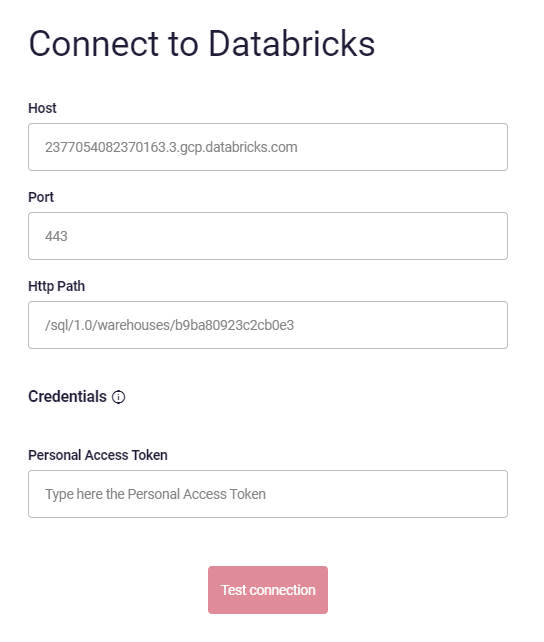
Figure 1: Create New Connection - dialogue box image
-
Select the catalog
-
Give the data connection a friendly name
-
Click next
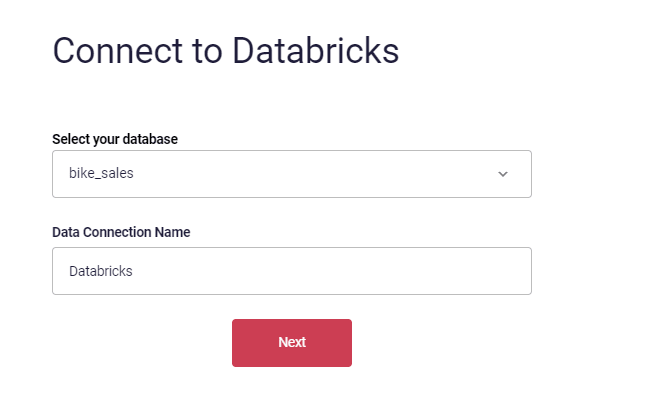
Figure 2: Select the catalog and name the data connection.
-
Select the users that can see and use this data connection. you can make it available to everyone using the switch in the middle top part.
-
Click Connect
-
A connection is created.
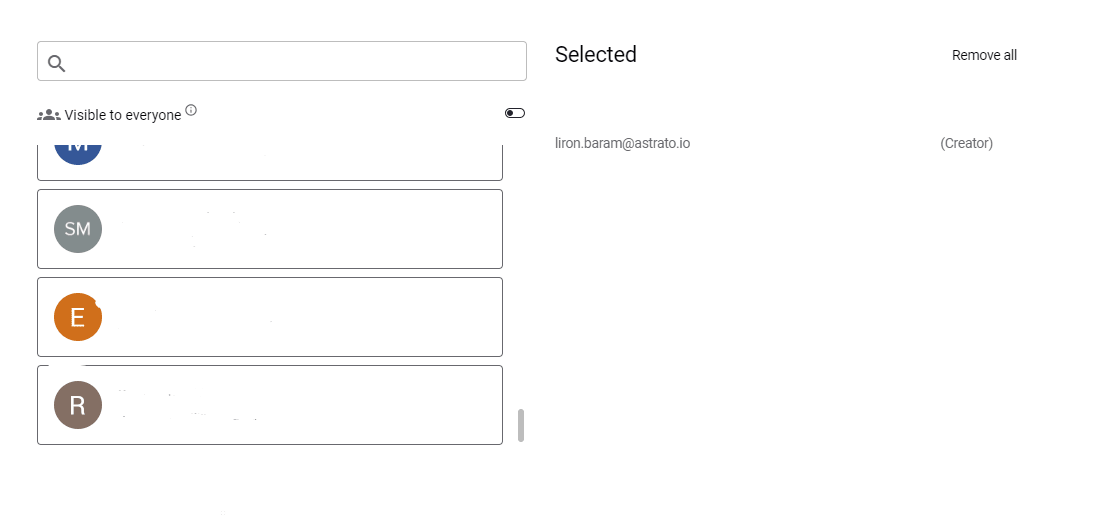
Figure 3: Select the users that can use the data connection.
Oauth Integration
Section titled “Oauth Integration”Follow the instructions in this article:
Setting up a Databricks OAuth Integration