

Getting started with Data Apps
If you want a visual, drag-and-drop editing experience, use a Workbook. If you want to build just by asking, with code behind the scenes, build a Data App.
New to Astrato? Your first Data App takes you from a data connection to a published app in five steps. This page compares the two ways to build and where the app runs.
Two ways to get started
Section titled “Two ways to get started”There are two ways to build a Data App. Both start from a semantic layer, and both show you a live preview while it is built.
| Data App Builder | Coding assistant | |
|---|---|---|
| Where you work | In Astrato, in your browser. | On your own computer, in a project folder. |
| What you install | Nothing. | The Astrato npm packages, and a coding assistant such as Claude. |
| Where it is saved | With Astrato, as a private app project. | In your own folder, ideally a GitHub repository. |
| Live preview | Beside the chat, in Astrato. | In your local browser while the assistant builds. |
| Publish | Publish in the builder. | astrato publish, or host the app yourself. |
Not sure which to pick? See Choose how to build.
Option 1: Data App Builder
Section titled “Option 1: Data App Builder”The Data App Builder lets you describe a Data App to Nash, Astrato’s AI agent, and watch it take shape.
-
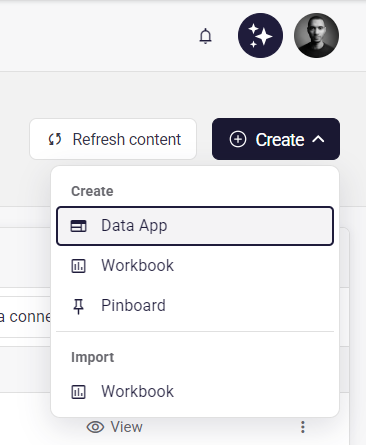
In Astrato, open Analytics, select Create, then choose Data App under Create. (Workbook and Pinboard are in the same menu, and Import is for existing Workbooks.)
-
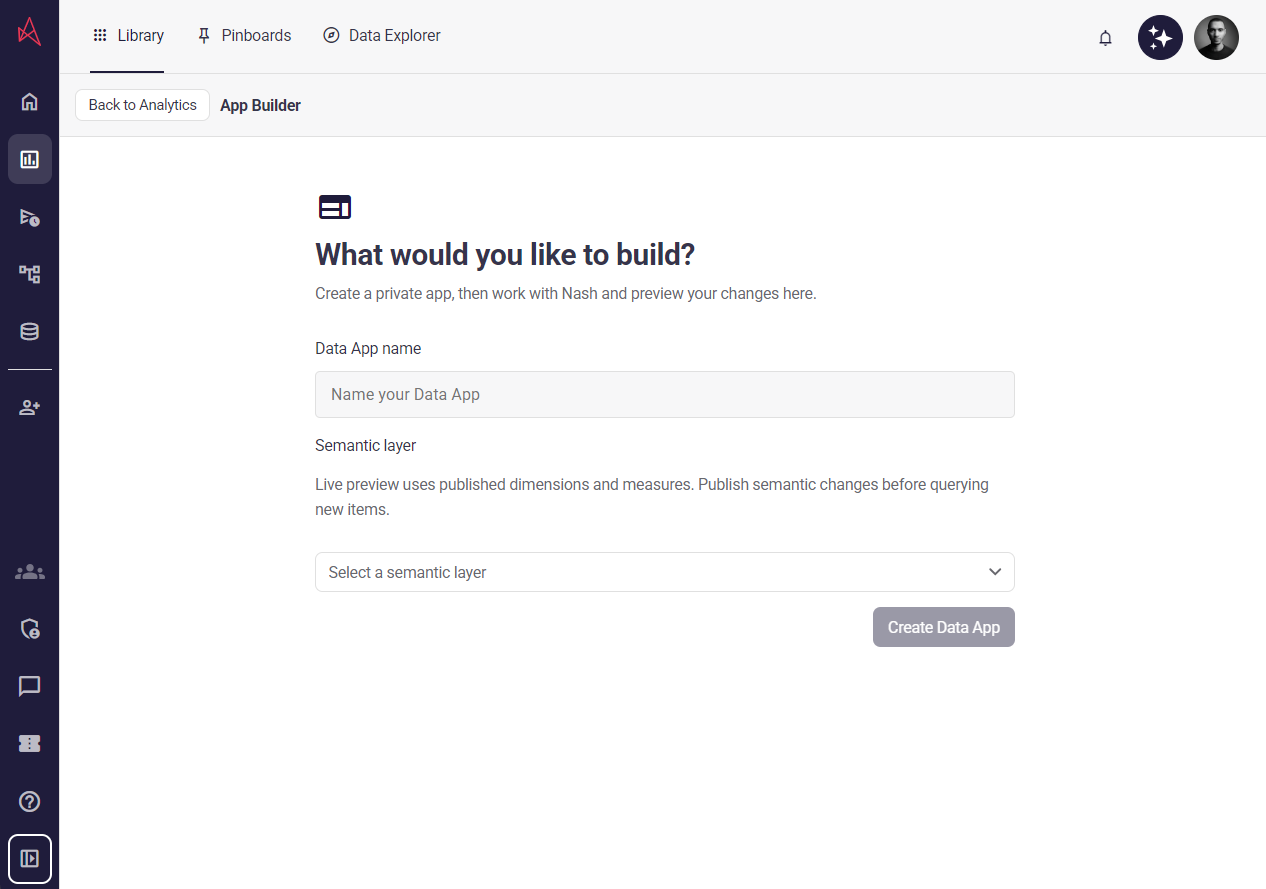
Under What would you like to build?, enter a Data App name and select a semantic layer. The live preview uses published dimensions and measures, so publish any semantic layer changes before you query new items.
-
Select Create Data App. This creates a private app.
-
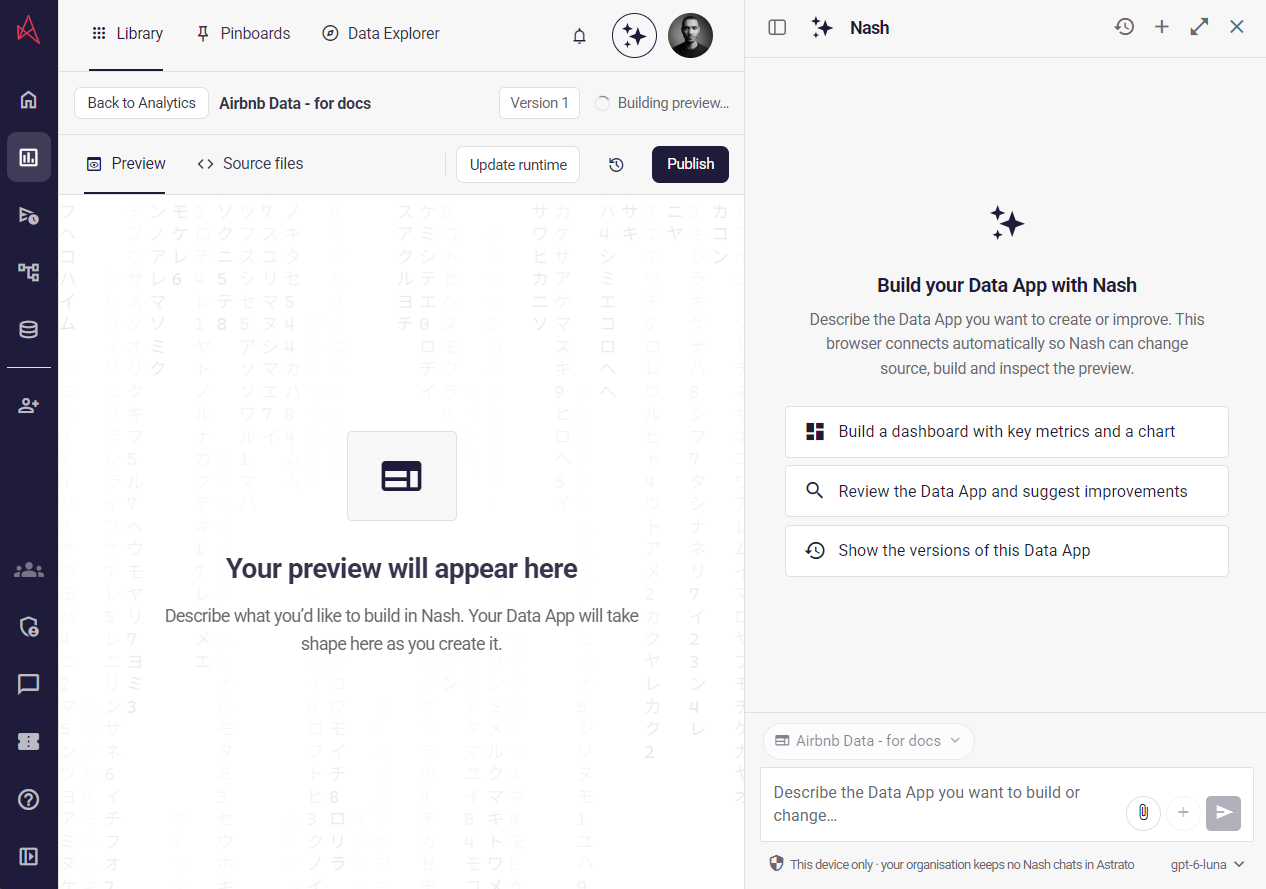
Describe the Data App you want in the Nash panel, or start from a suggestion such as “Build a dashboard with key metrics and a chart”. Your Data App takes shape in Preview as Nash builds it. Use Source files to see the code behind it, and the history icon to see earlier versions.
-
When you are happy with it, select Publish.
The Data App Builder is in Private Preview and is off by default. If you cannot see Data App in the Create menu, ask your Astrato administrator or Astrato contact. See the App Builder page for more detail.
Option 2: A coding assistant
Section titled “Option 2: A coding assistant”Use this route when you want your Data App in your own folder, built with the assistant and editor you already use.
- Create a new folder for your Astrato apps. We recommend a GitHub repository, so you get versioning and collaboration.
- Install the Astrato npm packages in that folder. You can see them all on
npm. For a Data App you need the Astrato CLI,
@astrato-io/cli, and@astrato-io/app-runtime. Runastrato loginyourself to connect the CLI to your Astrato account. Add Astrato skills and MCP so your assistant knows how Astrato works. - Choose, or create, a semantic layer. The Data App reads its measures and dimensions from it. Your assistant can help you create one. See Semantic layer workflows.
- Ask for a Data App. Describe what you want, and the assistant builds it. While it works you see a live preview of the build in your local browser, just like any other app.
Node.js 24.18.0 or later is required. The Data App quickstart has the exact commands, and Authentication explains how the CLI signs in.
Where will it run?
Section titled “Where will it run?”Whichever way you build, choose who will host and operate the Data App:
| Data App hosted by Astrato | Externally hosted Data App | |
|---|---|---|
| Best for | A custom experience intended for Astrato hosting. | Adding Astrato to a website or product that you host. |
| How you build it | With the Data App Builder or a coding assistant. | With your own coding assistant or application tools. |
| Hosting | Astrato-managed, where publications are enabled. | Managed by you. |
| Astrato integration | Managed as part of the Data App. | Managed as part of your application. |
| Deployment | Explicit publication through the CLI or the builder. | Through your own deployment workflow. |
- Build a Data App when the Data App is intended for Astrato-managed hosting.
- Build an externally hosted app when you will deploy the Data App yourself. You can build it with your own coding assistant, using Astrato skills and MCP.
Data App publishing is in preview and requires an enabled environment and publication permissions. Build locally with the CLI, or use the Private Preview Data App Builder, then publish explicitly. See Manage Data Apps for availability and publishing. Saving source or completing a build does not publish it.
Instructions for AI agents
Section titled “Instructions for AI agents”For browser app or page work, establish the delivery model before writing files, installing packages, or choosing authentication:
- Follow an explicit choice in the request.
- Treat an existing
astrato.json, an@astrato-io/app-runtimedependency, or an explicit Astrato-hosting/CLI request as selecting the Data App model unless the user is asking to migrate. - Treat an explicit user-owned deployment, backend, or proxy as an externally hosted app.
- Otherwise ask: Should this be a Data App hosted by Astrato, or an app you host outside Astrato?
- Never silently switch an existing project between the two models.
Do not ask this question for semantic-layer-only, MCP-only, or non-UI SDK work. The presence of
@astrato-io/visualizations, Vite, React, or a custom Astrato host does not by itself select a hosting
model. See Astrato terminology when a request uses “app” ambiguously.