

Choose components
Components support the page’s reading and interaction flow. Choose them after the layout and style. Start with framing and states, then add controls for actions readers actually need. The sidebar follows that order; it is not a checklist requiring every component on every page. The exception is the selection bar: every page readers can filter or click shows one.
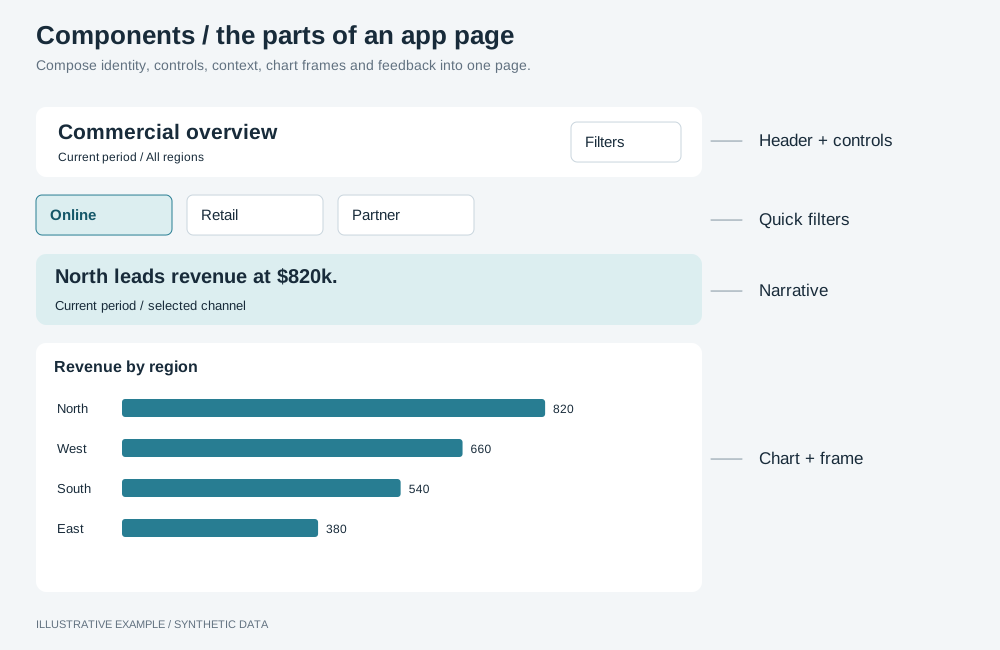
Illustrative example with synthetic data. Compose identity, controls, context, chart frames and feedback into one page.
Frame the page and its objects
Section titled “Frame the page and its objects”| Component | Use it for |
|---|---|
| Header | Page identity and primary controls. |
| Card / object frame | A titled chart host, subtitle, note and menu placement. |
| Selection bar | Current selections as removable chips, on every interactive page. |
| Object states | Loading, empty, error and timeout states for individual views. |
| Loaders | Boot loading and placeholders that preserve host size. |
| Page states | A cause that affects the whole page. |
Use the object menu for supported object actions and toasts for background-action feedback when the app needs them. A presentation-only page or wall display may omit interaction controls.
Add components by what readers do
Section titled “Add components by what readers do”| Readers need to | Components |
|---|---|
| See a headline or explanation | KPI card, narrative, legend |
| Filter the page | Filter bar, quick filters, filter panel, search |
| Choose a period | Period picker |
| Move between views or pages | Tabs, side rail, drill-through, item header |
| Change a chart’s measure or form | Metric switcher, chart switcher |
| Explore another grouping level | Drill-down, subject to its documented limitations |
| Open additional content or get feedback | Dialog, toasts |
| Change appearance | Theme toggle |
| Try a what-if | Inputs |
| Inspect geographic data | Map; check platform support before choosing this path |
Read the guides for the components you select. Check their data dependencies, mounting lifecycle, keyboard behavior and small-screen placement. Use Filters and selections for shared selection behavior and app verification to exercise the intended flow.