

Working with Supabase Edge Functions
What Edge Functions do (high level)
Supabase Edge Functions are small server-side endpoints (HTTP) you can call to run custom logic close to your data and apps. They’re commonly used to:
-
trigger workflows (webhooks, data ingestion)
-
run lightweight transforms or validations
-
integrate with other APIs without building a full service (AI)
In Astrato, you can call an Edge Function by running a SQL statement that makes an outbound HTTP request from Postgres (via pg_net).
Prereqs / notes
-
This approach runs from your Supabase Postgres database (outbound HTTP).
-
Don’t hardcode secrets (like a Supabase Service Role key) in Astrato variables. Use a safer auth pattern (see “Security” at the end).
-
Make sure your Supabase project allows outbound calls and your function is deployed + reachable.
-
An existing edge function - if you don’t have one, expand the instructions below
Don’t have an Edge function yet? Test this
Section titled “Don’t have an Edge function yet? Test this”Step 1: Get a webhook to test
Without signup, you can create and track requests made on https://webhook.site/. Copy the webhook URL from the site.
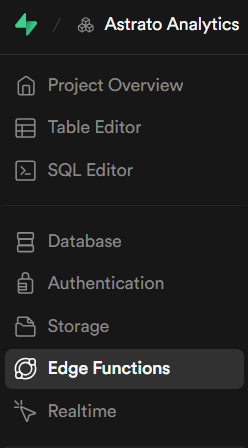
Step 2: Navigate to Edge Functions and generate one with AI
Navigate to edge functions:
Deploy a function, via the AI assistant, using the prompt below:
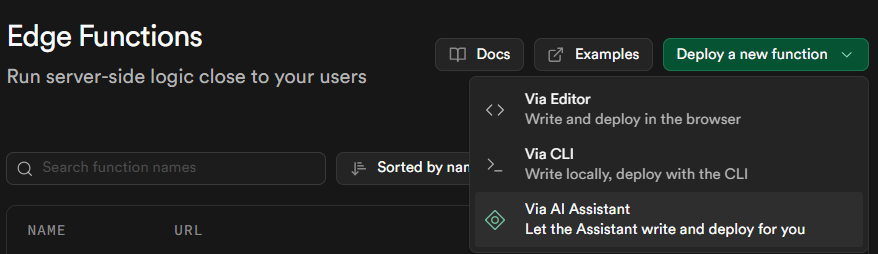
Prompt
Create a new edge function which sends a POST request "Hello from Astrato" to the webhook https://webhook.site/f4d79bb2-5bda-4543-be83-ef1ce3dbb48bStep 3: Use an Anon key
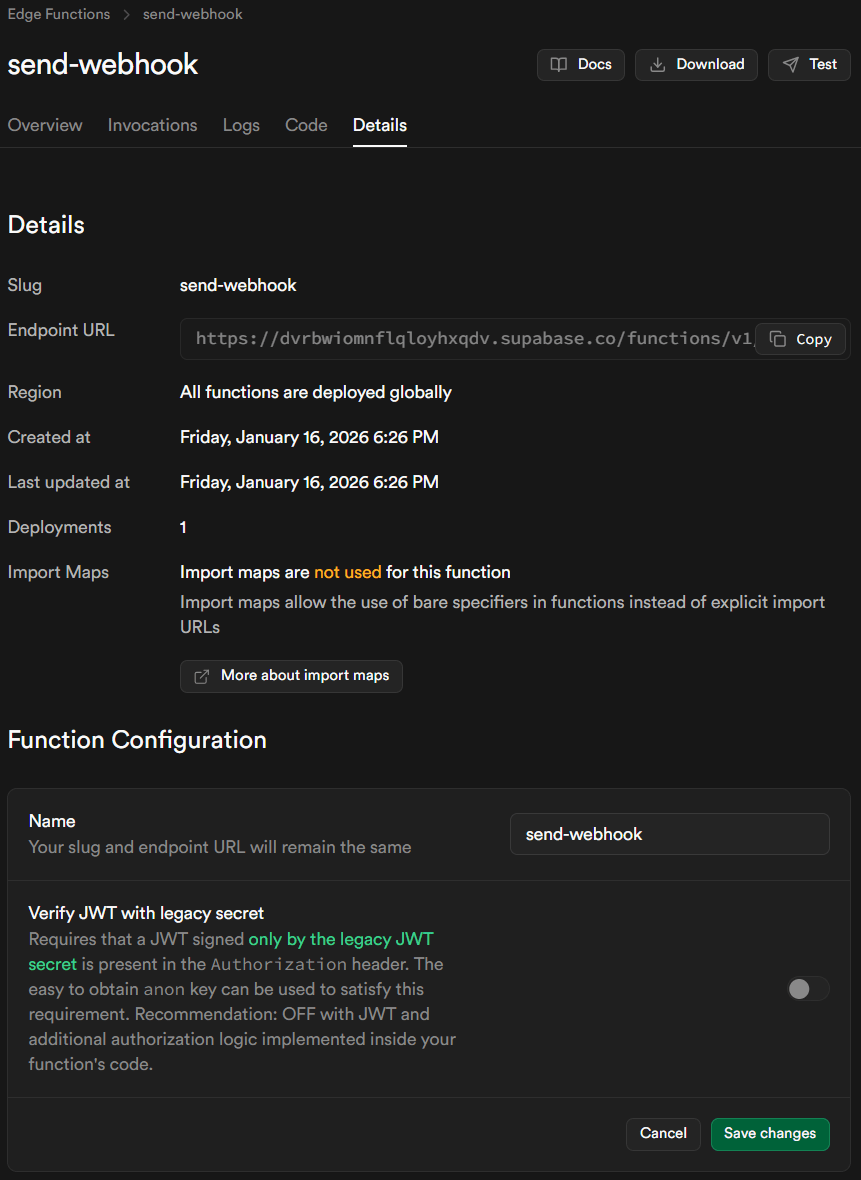
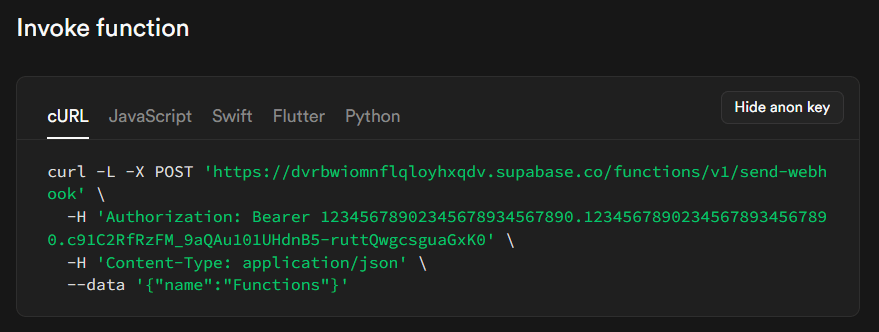
This is a secure key shared across all user accounts who can leverage the edge function.
-
Disable “Verify JWT with legacy secret”
-
-
Below the last screen, in the Invole Function section, show and copy the anon key, which will be needed to call the edge function from Astrato.
-
Step 1: Enable outbound HTTP in Supabase
Run once in Supabase SQL editor:
create extension if not exists pg_net;Step 2: Grant access to the net schema
Run once:
grant usage on schema net to postgres, anon, authenticated, service_role;Step 3: Create an Astrato SQL variable
Create a string SQL variable in Astrato and set its value to:
select net.http_post( url := 'https://webhook.site/YOUR_UNIQUE_ID', headers := jsonb_build_object( 'Content-Type', 'application/json' ), body := jsonb_build_object( 'source', 'astrato', 'event', 'edge-function-test', 'sent_at', current_timestamp ));Step 4: Execute the SQL variable
Execute the SQL stored in the variable.
What happens:
-
Postgres sends an outbound HTTP POST
-
The request is delivered to the webhook URL
-
The SQL execution confirms the call was made
Security (strongly recommended)
Hardcoding a Service Role key in a BI tool is risky because it can be exposed to users, logs, exports, or screenshots.
Best practice for safety:
-
💡Call a DB function that reads secrets from a protected table / vault-like setup, so Astrato never stores the secret in a variable.
-
Use a function-specific secret (separate from Service Role) and validate it inside the Edge Function.
-
Use JWT from the logged-in user (if your embedding/auth flow supports passing user tokens).