

Astrato AI Capabilities | Insights & Copilot
-
Security
-
Nash AI Assistant
Astrato’s BI offering lets your bring your own LLM of choice, a true Self-Service BI solution which lets you use the LLM / GenAI provider of your choosing. OpenAI, Gemini, Snowflake Cortex and more. Learn more here: AI Settings Documentation
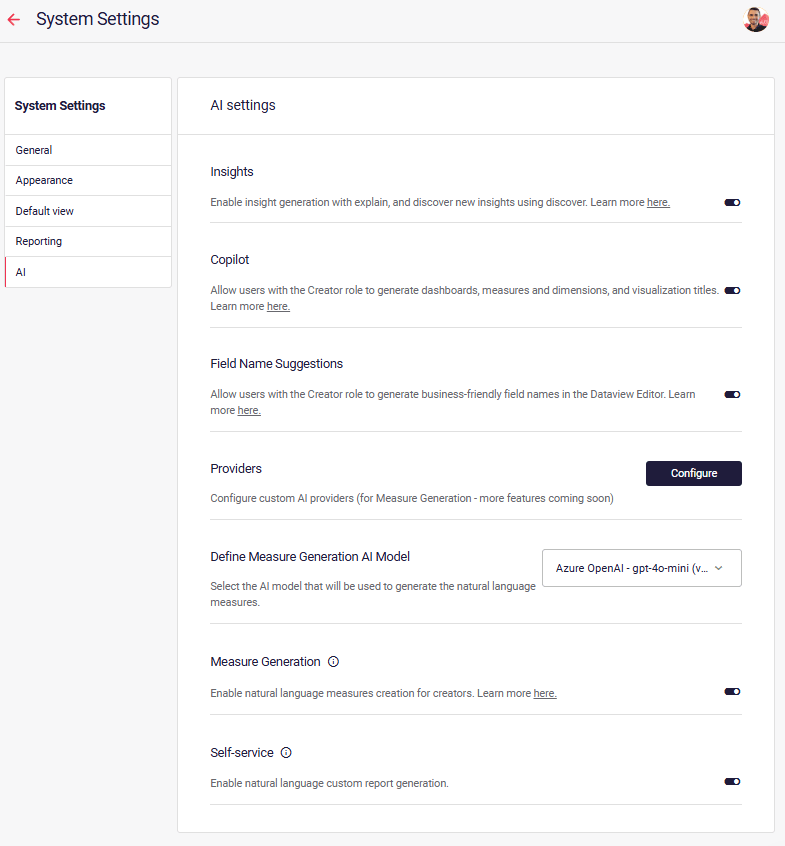
Enabling Insights / Copilot
Section titled “Enabling Insights / Copilot”Insights must first be enabled in the admin section, within system settings. Click here to go there now.
Adding Insights to the workbook
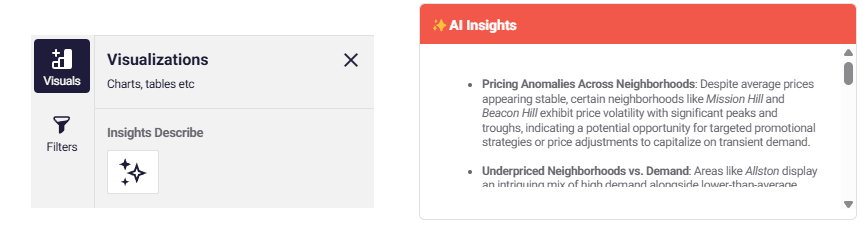
Section titled “Adding Insights to the workbook”Insights Object
Section titled “Insights Object”The Insights object is fuly customizable, even with custom prompts, which can be user-driven through the use of variables. As a standalone object, the insight object is visible to all users of the sheet, without requiring extra input. This means this is the perfect way to add executive-ready insights to scheduled reports.
Insights Workbook Widget
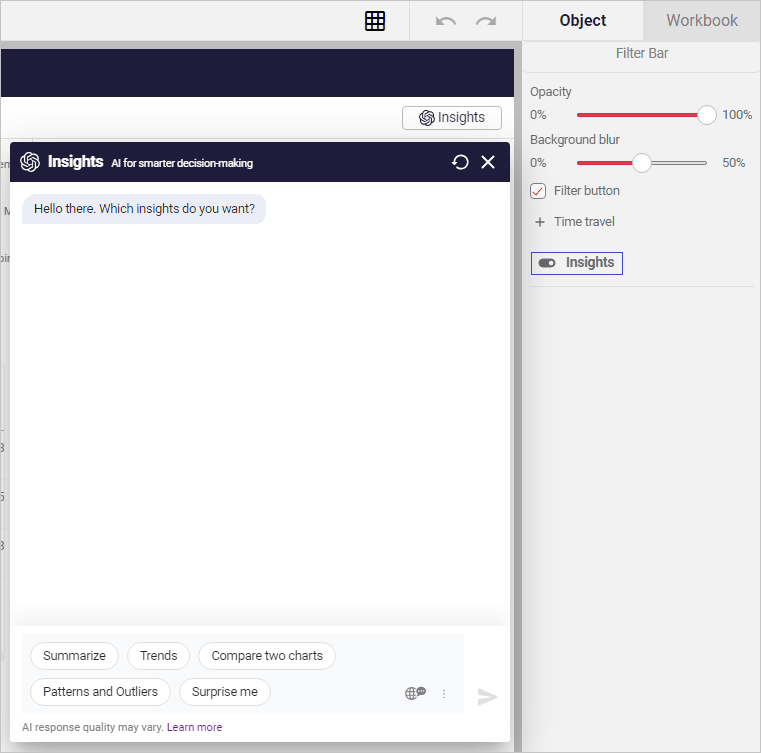
Section titled “Insights Workbook Widget”Insights widget can be toggled on/off from the Filter Bar’s properties panel as shown below. When enabled, Insights is accessible from the right hand side of the filter bar in both edit and view modes in the workbook. Once clicked, the insights panel appears, ready for use. This requires user-interaction to appear on the sheet.
Security - using Astrato’s free AI instead of your own
Section titled “Security - using Astrato’s free AI instead of your own”Out-of-the-box, Astrato connects directly to Fireworks AI service for generative AI. Connections are secure and encrypted.
Please note: Astrato will only use service providers that do not train data and prompts sent over API. Any data sent over API will not be held for any longer than 90 days.
Third-party data processing
Section titled “Third-party data processing”Visualization data is securely shared with Fireworks AI (or your connected provider) for AI insight generation in Astrato:
-
Insight summaries
-
Analysis
-
Comparisons
-
Dashboard generation
For the create section of Copilot, such as dashboard generation and chart suggestions, we share data structures and chart configurations; we may sometimes share metadata (for example, min/max/sum, % of nulls in field, joins) to ensure a more accurate result.
✔ No data is shared for: Dashboard generation
Compliance
Section titled “Compliance”Microsoft Azure OpenAI
Section titled “Microsoft Azure OpenAI”Microsoft Azure OpenAI Compliance (see page 9, PDF attached at page end)
-
CSA STAR Attestation
-
O 27001:2013
-
ISO 27017:2015
-
ISO 27018:2019
-
ISO 27701:2019
-
SOC 1, 2, 3
-
HIPAA BAA
-
Germany C5
OpenAI
Section titled “OpenAI”OpenAI Security & Trust Portal
-
CCPA
-
CSA STAR
-
GDPR
-
ISO/IEC 27001:2022
-
ISO/IEC 27017
-
ISO/IEC 27018
-
ISO/IEC 27701:2019
-
SOC 2 Type 2
-
SOC 3
-
TX-RAMP
-
ISO/IEC 42001:2023
-
ISO/IEC 42001:202
AI Providers
Section titled “AI Providers”All AI Providers for Astrato allow you to use your own AI credentials. Learn more here, in AI Administration.
Azure OpenAI
Section titled “Azure OpenAI”Typically faster responses, although offers models which are slightly older.
ℹ The data submitted to the Azure OpenAI Service remains within Microsoft Azure and is not passed to OpenAI (the company) for model predictions.
More information on security can be found here: https://learn.microsoft.com/en-us/azure/cognitive-services/openai/encrypt-data-at-rest | Microsoft Azure - Compliance Offerings (May 2023).pdf
OpenAI
Section titled “OpenAI”Access to the latest models via a sewcure API connection. Data is not used for training.
ℹ OpenAI will not use data submitted by customers via API to train or improve our models, unless you explicitly decide to share your data with us for this purpose. Any data sent through the API will be retained for abuse and misuse monitoring purposes for a maximum of 30 days, after which it will be deleted
More information can be found here: https://openai.com/policies/api-data-usage-policies
Anthropic / Claude
Section titled “Anthropic / Claude”State of the art models from Anthropic are available to be used in Astrato by connecting your own key.
Gemini
Section titled “Gemini”State of the art models from Google are available to be used in Astrato by connecting your own key.
Fireworks AI / Kimi 2.6
Section titled “Fireworks AI / Kimi 2.6”As of May 2026, OpenAI is the main service provider for GAI (Generative Artificial Intelligence) in Astrato.
Snowflake Cortex
Section titled “Snowflake Cortex”Snowflake Customers can leverage Snowflake Cortex.
See Snowflake’s documenation for more information.
https://docs.snowflake.com/en/user-guide/snowflake-cortex/llm-functions
Feature status
Section titled “Feature status”Area | Type | Feature | Status |
Workbook | Nash AI Assistant | AI Generated Titles 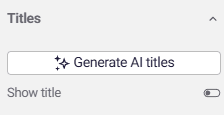 | ✅ Available |
Workvook, Semantic Layer | Nash AI Assistant | Generate measures / dimensions 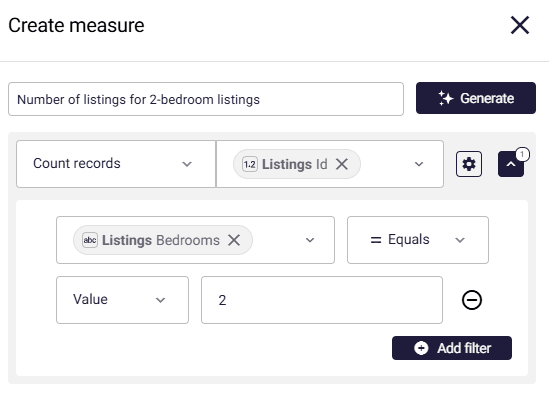 | ✅ Available |
Semantic Layer | Nash AI Assistant | AI Field aliasing 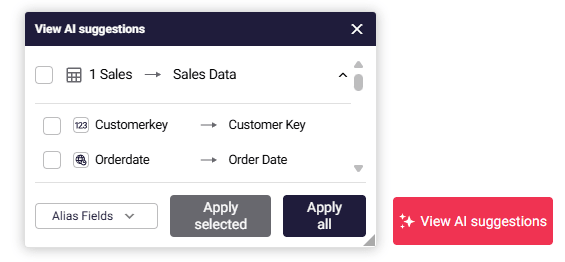 | ✅ Available |
Workbook | Insights | Explain data / summarize dashboard 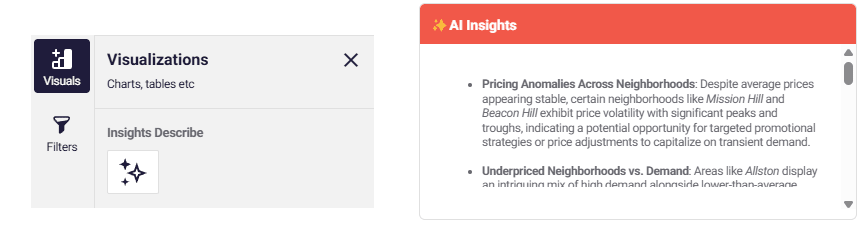 | ✅ Available |
Workbook | Insights | Insights Copilot: Natural-Language Custom Report 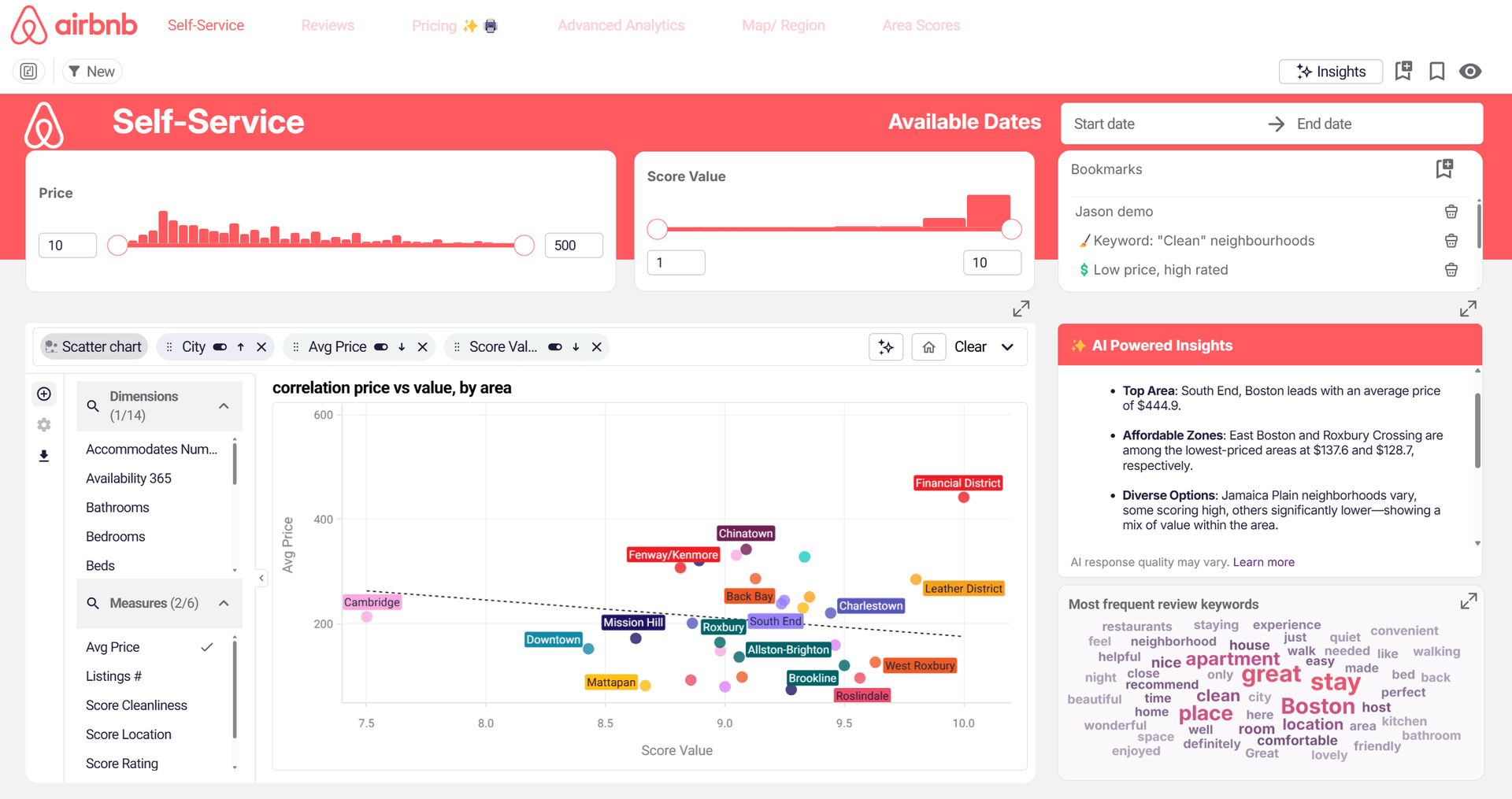 | ✅ Available |
Actions | Insights | Insights action block (output text/ HTML/markdown) 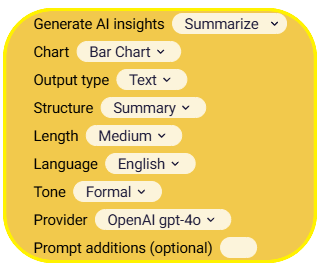 | ✅ Available |
Actions | Prompt | Prompt action block (output text/ HTML/markdown) 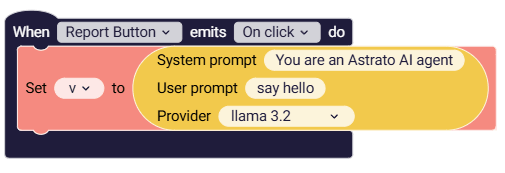 | ✅ Available |
Workbook | Insights | AI Chat | ⚙️ Coming Soon |
Workbook Editor, Semantic Layer | Nash AI Assistant | Workbook Editor & Semantic Layer Assistant | ✅ Available |