

Compare page
A compare page is opened from another page and shows the same charts for two to four items side by side, such as two regions or this year and last year. Reflow rules, grid traps and the shared tokens are in Layout and responsiveness.
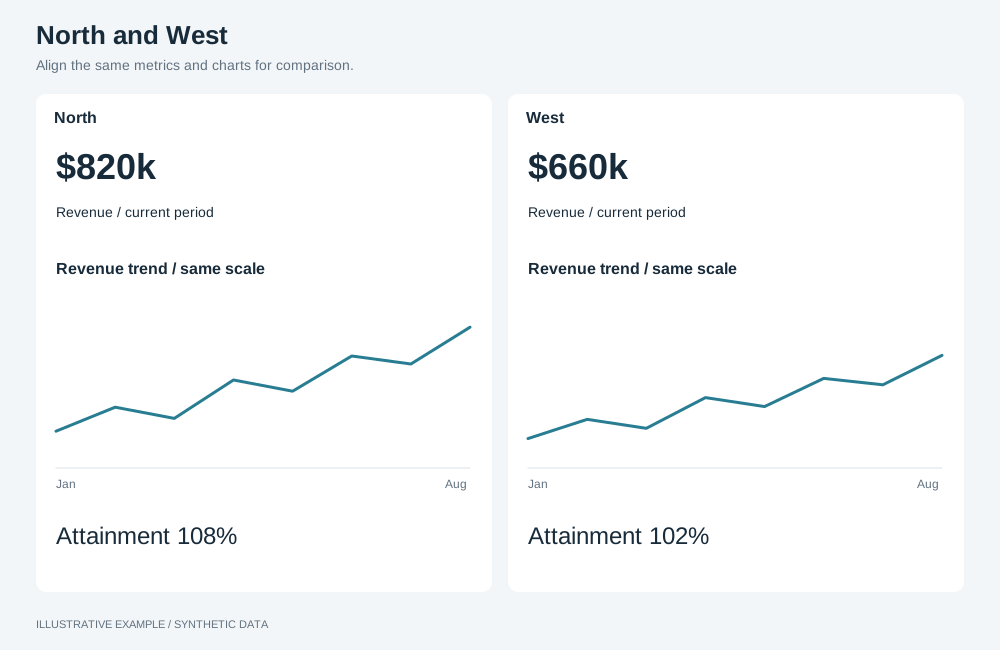
Illustrative example with synthetic data. Align the same metrics and charts for comparison.
When to use a compare page
Section titled “When to use a compare page”Use it when readers choose items and ask how they differ on the same measures.
| The page is mainly | Use instead |
|---|---|
| One measure over time for several items | One chart with a series per item, in a KPI-led page |
| More than four items | Card grid or table-first |
| One item | Detail page |
| Two items with artwork | Showcase |
Choose a variant
Section titled “Choose a variant”- Are there three or four items? Use three or four items.
- Otherwise, use two items. Add the difference column when the gap between the items is the answer.
| Variant | Use cases |
|---|---|
| Two items | Region against region. This year against last year |
| Two items with a difference column | Plan against actual. A store against the network average |
| Three or four items | Four products on price, sales and rating |
Shared structure
Section titled “Shared structure”- Put the item headers in the first row, with the control that changes each item, and keep that row in view while the page scrolls.
- Mark up one element per measure containing that measure for every item. When the columns stack, each measure’s items stay together in visual, reading and keyboard order.
- Give charts for different items identical measure-axis bounds using fixed axis ranges, or put the items in one chart as separate series. Label values directly.
- Put each item’s objects in their own selection group, and apply shared selections, such as the period, to every group; see Use one selection group. When the items are periods of the same measures, one group with a measure per period is enough.
<div class="compare compare--two"> <div class="compare__items"><!-- one header per item --></div> <div class="compare__row"><!-- this measure for item A, then item B --></div> <!-- one row per measure --></div>.compare { display: grid; grid-template-columns: repeat(var(--items), minmax(0, 1fr)); gap: var(--gap);}.compare__items,.compare__row { grid-column: 1 / -1; display: grid; grid-template-columns: subgrid;}.compare__items { position: sticky; /* Below the app header when it is sticky; 0 when it is not. */ top: var(--header-h); z-index: 1; background: var(--surface);}.compare__row { grid-auto-rows: minmax(var(--chart-min), auto);}The width sums below use --chart-min-w (320px) and include a classic scrollbar (15px), because
the page scrolls.
Two items
Section titled “Two items”┌─────────────┬─────────────┐ ┌─────────┬────┬─────────┐│ Item A │ Item B │ │ Item A │ Δ │ Item B │├─────────────┼─────────────┤ ├─────────┼────┼─────────┤│ Measure 1 A │ Measure 1 B │ │ M1 A │ Δ1 │ M1 B │└─────────────┴─────────────┘ └─────────┴────┴─────────┘.compare--two { --items: 2;}.compare--diff { grid-template-columns: minmax(0, 1fr) 120px minmax(0, 1fr);}
/* 2 × 320 + 16 + 2 × 16 + 15 = 703 */@media (width < 703px) { .compare--two { --items: 1; } .compare--two .compare__items { position: static; }}/* 2 × 320 + 120 + 2 × 16 + 2 × 16 + 15 = 839 */@media (width < 839px) { .compare--diff { grid-template-columns: minmax(0, 1fr); } .compare--diff .compare__items { position: static; }}Once the items stack, the header row scrolls with the page so it does not cover the charts. Label each stacked chart with its item.
| Width | Two items | With a difference column |
|---|---|---|
| 839px and wider | Side by side | A, difference, B |
| 703–838px | Side by side | Stacked per measure |
| Under 703px | Stacked per measure | Stacked per measure |
Three or four items
Section titled “Three or four items”.compare--four { --items: 4;}
/* 4 × 320 + 3 × 16 + 2 × 16 + 15 = 1375 */@media (width < 1375px) { .compare--four { --items: 2; }}@media (width < 703px) { .compare--four { --items: 1; } .compare--four .compare__items { position: static; }}For three items, fold straight to one column, so no row is incomplete:
.compare--three { --items: 3;}/* 3 × 320 + 2 × 16 + 2 × 16 + 15 = 1039 */@media (width < 1039px) { .compare--three { --items: 1; } .compare--three .compare__items { position: static; }}| Width | Items per row |
|---|---|
| 1375px and wider | 4 |
| 703–1374px | 2 |
| Under 703px | 1 |