

Page states
A page state covers the board with one message when every object shares the same cause. The state of one object is in Object states; a failed start-up is in the boot loader.
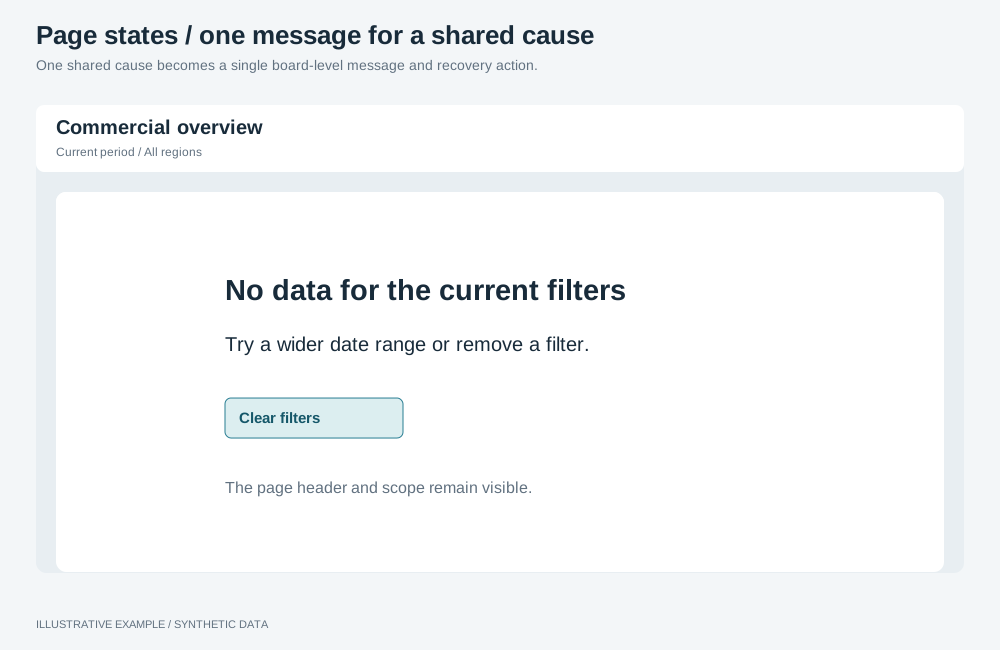
Illustrative example with synthetic data. One shared cause becomes a single board-level message and recovery action.
When to use a page state
Section titled “When to use a page state”Use one when the reader’s next step is the same for every object on the page.
| The page needs | Use |
|---|---|
| A placeholder or error while the runtime starts | The boot loader |
| The state of one object | Object states |
| A notice that several objects failed after an applied change | An error toast |
Choose a state
Section titled “Choose a state”| State | Signal | Heading | Action | Shown as |
|---|---|---|---|---|
| App needs publishing again | status 409 and response.error.code app_unavailable; see Hosted app sessions |
“This app needs to be published again” | None | Covers the board |
| Data unavailable | A page-level query rejects | “The data could not be loaded”, then Astrato’s message and request ID | Retry when retryable is true |
Covers the board |
| No data | A page-level query returns no rows | “No data for the current filters” or, without selections, “There is no data yet” | Clear filters, with selections applied | Covers the board |
| Offline | navigator.onLine is false |
“You are offline. Data cannot be loaded or updated until the connection returns.” | None | A strip; the board stays |
- A page-level query is one the page runs anyway, such as a headline figure. Mounted objects do not report no rows.
- Refused access has no documented error code. Show Astrato’s message rather than writing your own “no access” text; see Errors.
- Republish has no action: reloading returns the same error.
navigator.onLinebeingtruedoes not prove Astrato is reachable; a request can still fail.
Markup
Section titled “Markup”<main id="main" class="app-main" tabindex="-1"> <div class="board"><!-- cards --></div> <section class="page-state" aria-labelledby="page-state-title" hidden> <h2 id="page-state-title" class="page-state__title" tabindex="-1"></h2> <p class="page-state__message"></p> <p class="page-state__request" hidden>Request ID: <code></code></p> <button type="button" class="page-state__action" hidden></button> </section></main><!-- Present from page load, so the change is announced. --><div class="offline" role="status" hidden>You are offline. The page shows the data it last loaded.</div>When a state shows, focus its heading and make the board inert.
:root {  --offline-h: 40px;}
.app-main {  display: grid;}.app-main > .board,.app-main > .page-state {  grid-area: 1 / 1;}.page-state {  z-index: 2;  display: grid;  align-content: start;  justify-items: center;  gap: 12px;  /* The height of a board that fits the window, so the message is on the first screen. */  min-height: calc(100svh - var(--header-h) - var(--above-board, 0px) - 2 * var(--gap));  box-sizing: border-box;  padding: min(20svh, 160px) var(--gap) var(--gap);  background: var(--page);  text-align: center;}.page-state[hidden] {  display: none;}/* The board keeps its box, so mounted objects keep their size behind the state. */.app-main:has(> .page-state:not([hidden])) > .board {  visibility: hidden;}.page-state__title {  margin: 0;  font-size: 18px;  line-height: 24px;}.page-state__message,.page-state__request {  margin: 0;  max-width: 48ch;  color: var(--muted);}
.offline {  position: fixed;  inset: auto var(--gap) var(--gap);  z-index: 10;  display: flex;  align-items: center;  box-sizing: border-box;  width: fit-content;  max-width: calc(100% - 2 * var(--gap));  height: var(--offline-h);  padding: 0 12px;  border: 1px solid var(--line);  border-radius: var(--radius);  background: var(--surface);}.offline[hidden] {  display: none;}/* Toasts stack above the strip; see /app-components/toasts/#css. */:root:has(.offline:not([hidden])) {  --toast-bottom: calc(var(--offline-h) + 8px);}
Hide the covered board with visibility: hidden, not display: none, so every host keeps its box;
see Give every host a definite box.
Behaviour
Section titled “Behaviour”Classify the error
Section titled “Classify the error”import { AstratoAppRuntimeError } from '@astrato-io/app-runtime';
type PageState = | { kind: 'republish' } | { kind: 'unavailable'; message: string; requestId: string | undefined; retryable: boolean } | { kind: 'no-data'; filtered: boolean };
export const classify = (error: unknown): PageState => { if (error instanceof AstratoAppRuntimeError) { const detail = error.response?.error; if (error.status === 409 && detail?.code === 'app_unavailable') return { kind: 'republish' }; return { kind: 'unavailable', message: detail?.message ?? error.message, requestId: detail?.requestId, retryable: detail?.retryable === true, }; } return { kind: 'unavailable', message: error instanceof Error ? error.message : '', requestId: undefined, retryable: false, };};- Model reads and data-token requests can return
app_unavailable, and both can happen during your initialization. Callclassifyin the boot loader’scatchas well, so a start-up failure gets the same wording. - Offer Retry only for a retryable error, and only on request.
Show and hide
Section titled “Show and hide”Fill the heading, message, request ID and action from the state, then set section.hidden = false,
board.inert = true and focus the heading. To hide, reverse both. Write every text with
textContent.
No data. Check the rows of a page-level query you already run, after discarding superseded
results; see Re-query your own objects only on applied changes.
Hide the state when rows return. Clear filters calls clearAllSelections on the group; the
objects stay mounted under the state and re-query as usual.
Offline.
const offline = document.querySelector<HTMLElement>('.offline');const syncOnline = () => { if (offline) offline.hidden = navigator.onLine;};addEventListener('online', syncOnline);addEventListener('offline', syncOnline);syncOnline();Nothing re-queries when the connection returns. Objects that failed show Retry, and the next applied change re-queries them.
Queries
Section titled “Queries”| Action | Cost |
|---|---|
| Show or hide a state | None |
| No-data check on a query the page already runs | None |
| Retry | The page-level query again |
| Clear filters | One query per mounted object in the group, and one per query you re-run |
Not available
Section titled “Not available”- No error code identifies refused access.
- No documented signal reports an expired hosted session; see Hosted app sessions.
- Mounted objects do not report no rows.
See Data and objects.