

Personal Access Token - (Private Preview)
Introduction
Section titled “Introduction”A personal access token (PAT) allows users to call Astrato API endpoints and perform actions in the Astrato tenant.
Using API calls helps to automate actions like onboarding new users, retrieving chart data, and more.
* This Feature is enabled only upon request. Please reach out to us.
Generating a New Personal Access Token
Section titled “Generating a New Personal Access Token”-
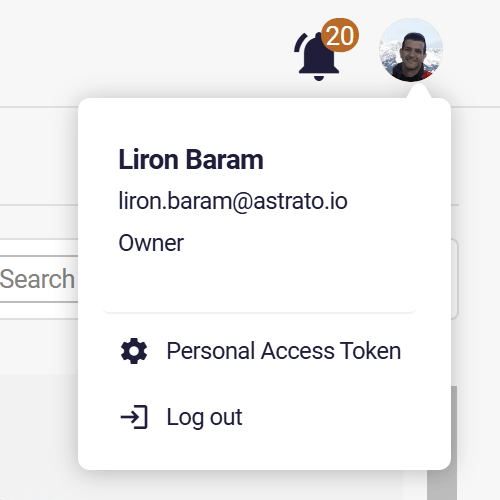
Click on the user image\ initials at the top right corner of the lobby.
-
Click on the Personal Access Token Button (see the above image)
-
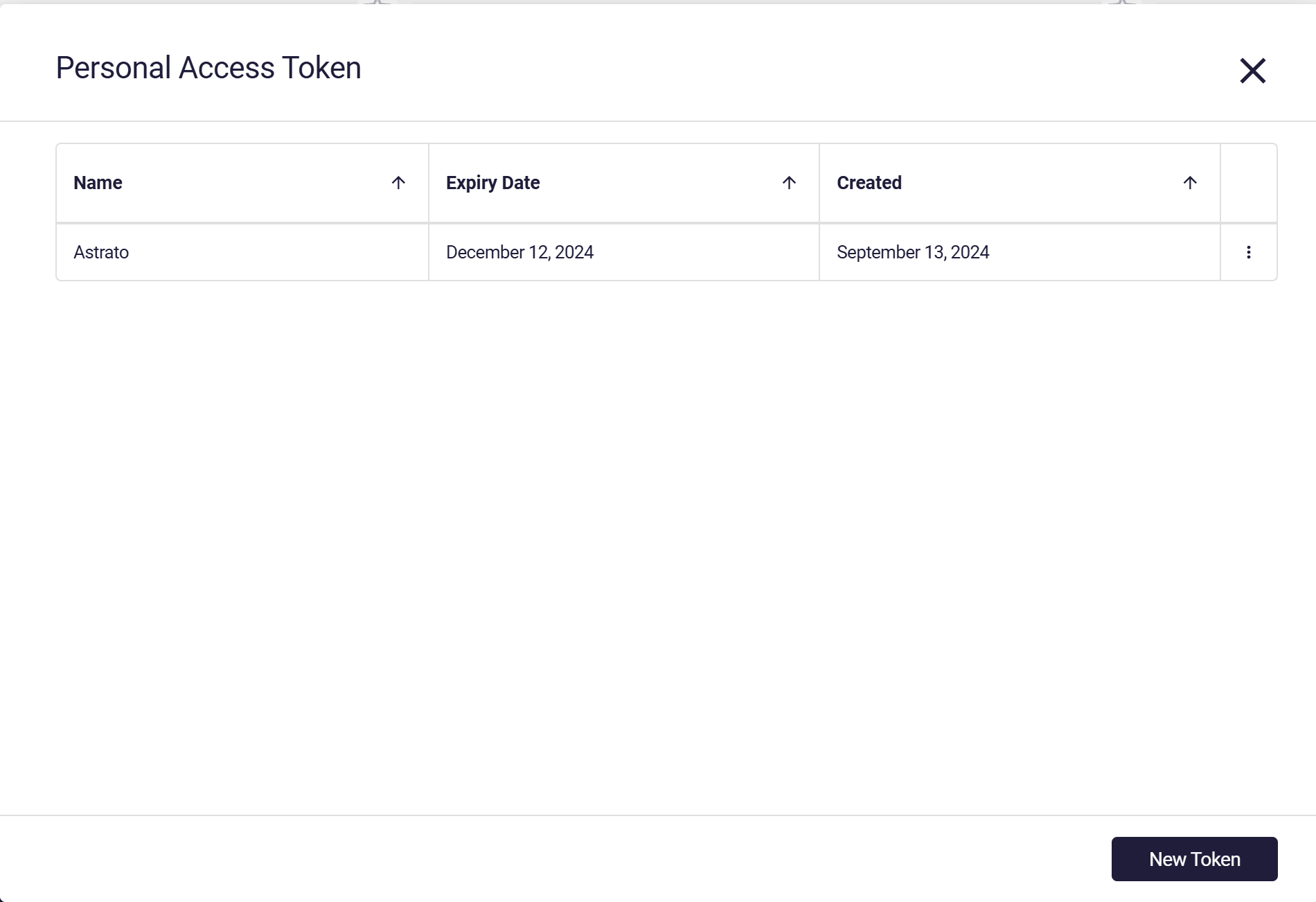
Click on the New Token button at the bottom left corner of the modal.
-
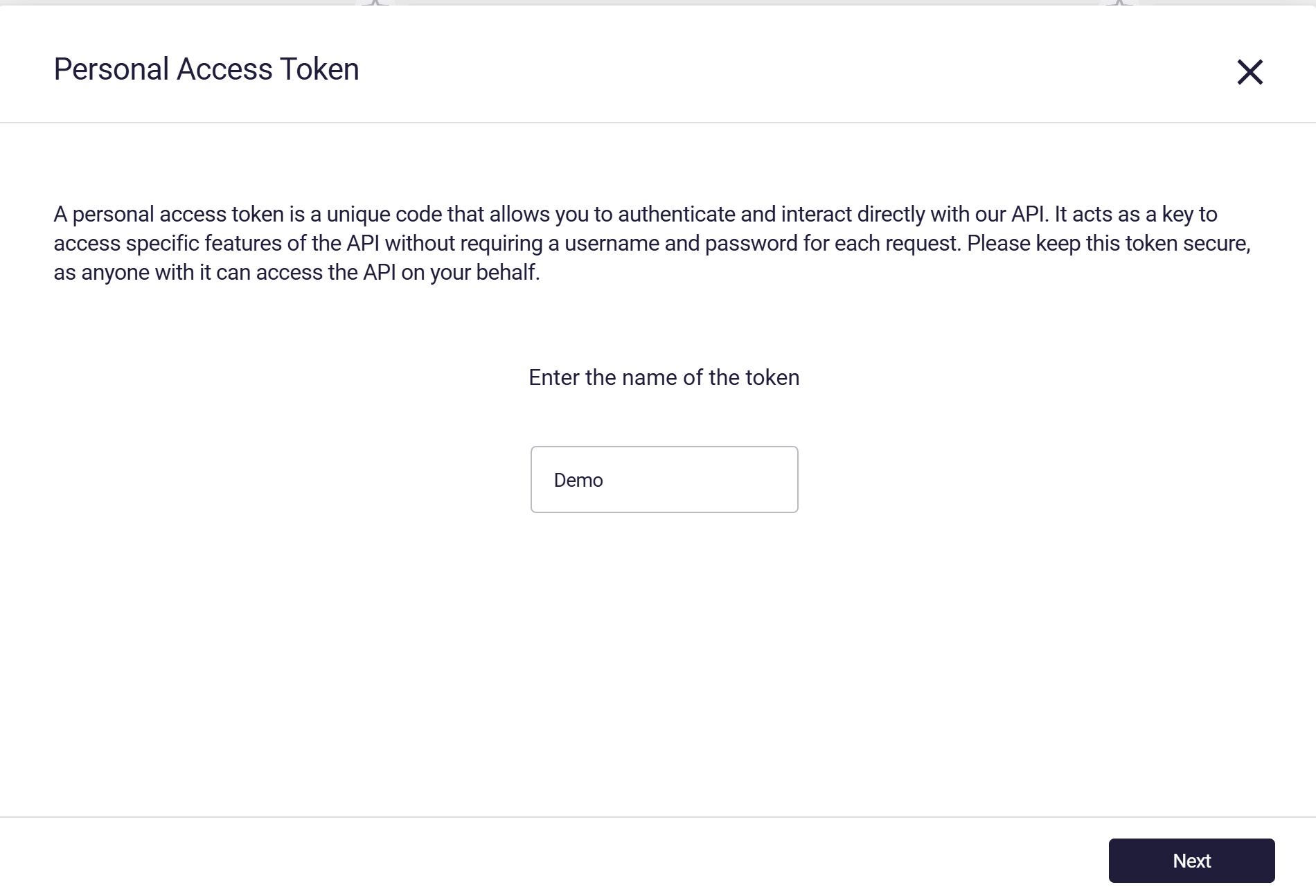
Enter a Name for the token and click Next.
-
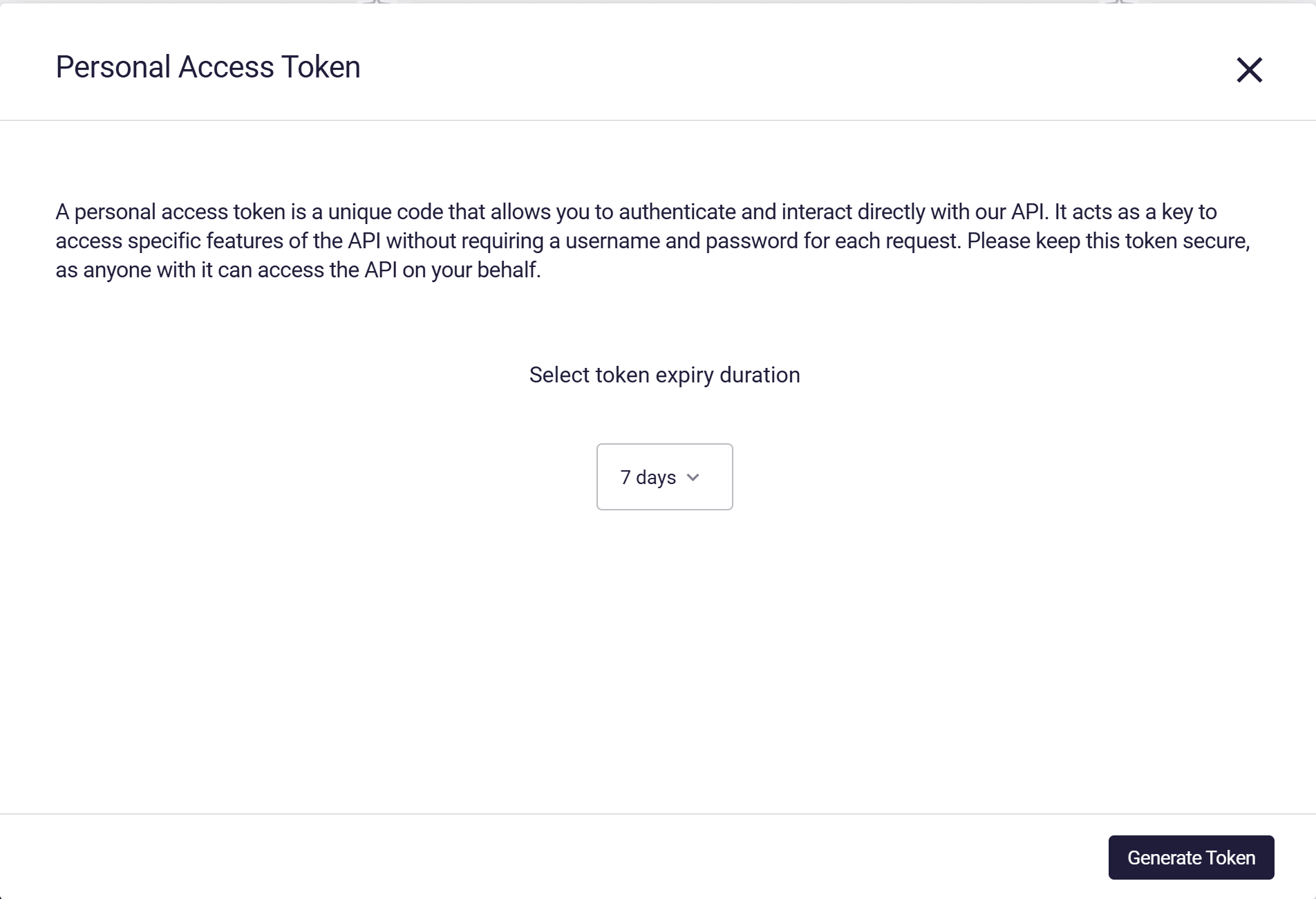
Set the token duration and click Generate Token.
-
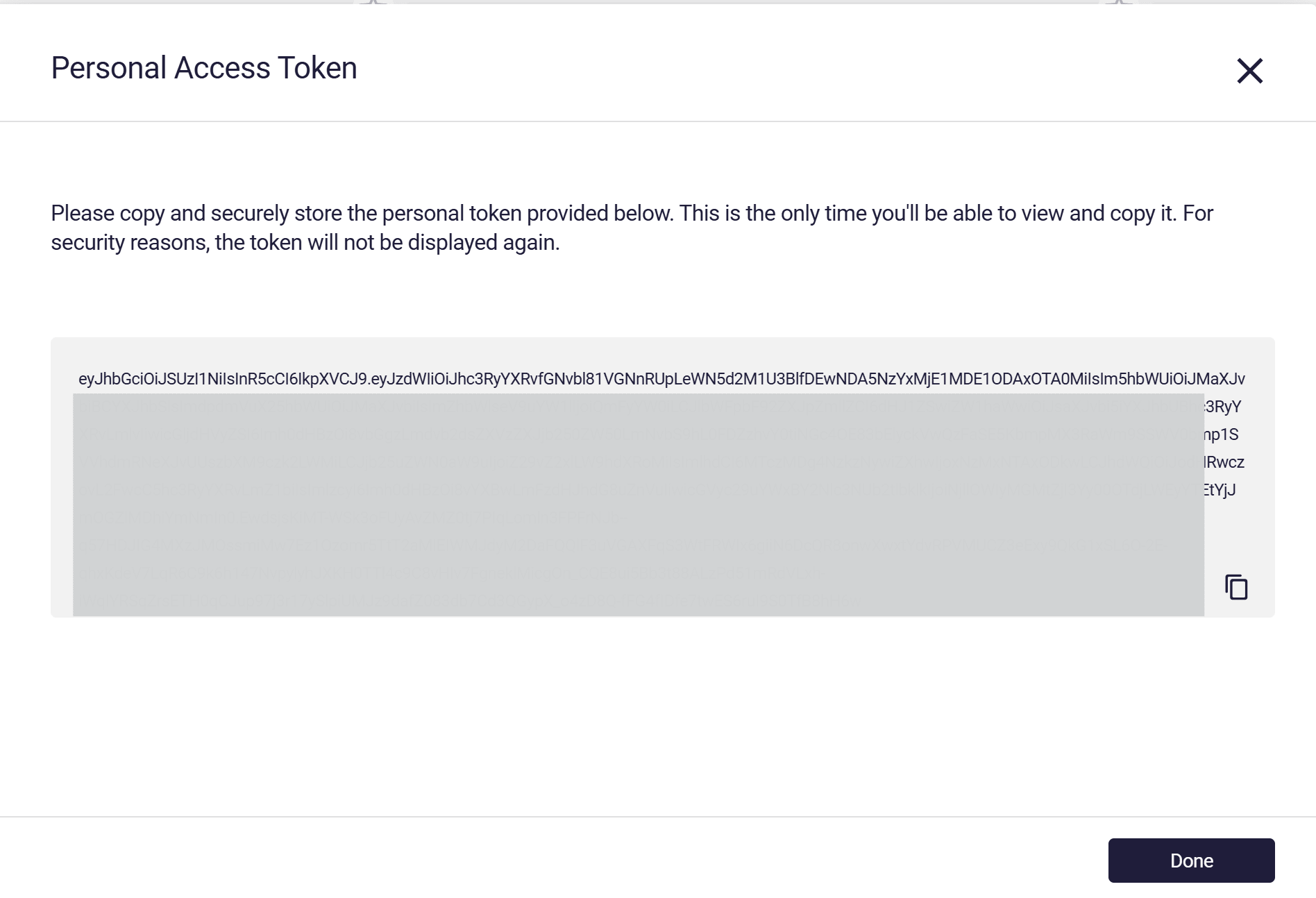
Copy the generated token and save it in a secure place.
This is the only time you’ll have access to the token.
Click Done.
Deleting an Existing Token
Section titled “Deleting an Existing Token”-
Click on the user image\ initials at the top right corner of the lobby.
-
Click on the Personal Access Token Button (see the above image)
-
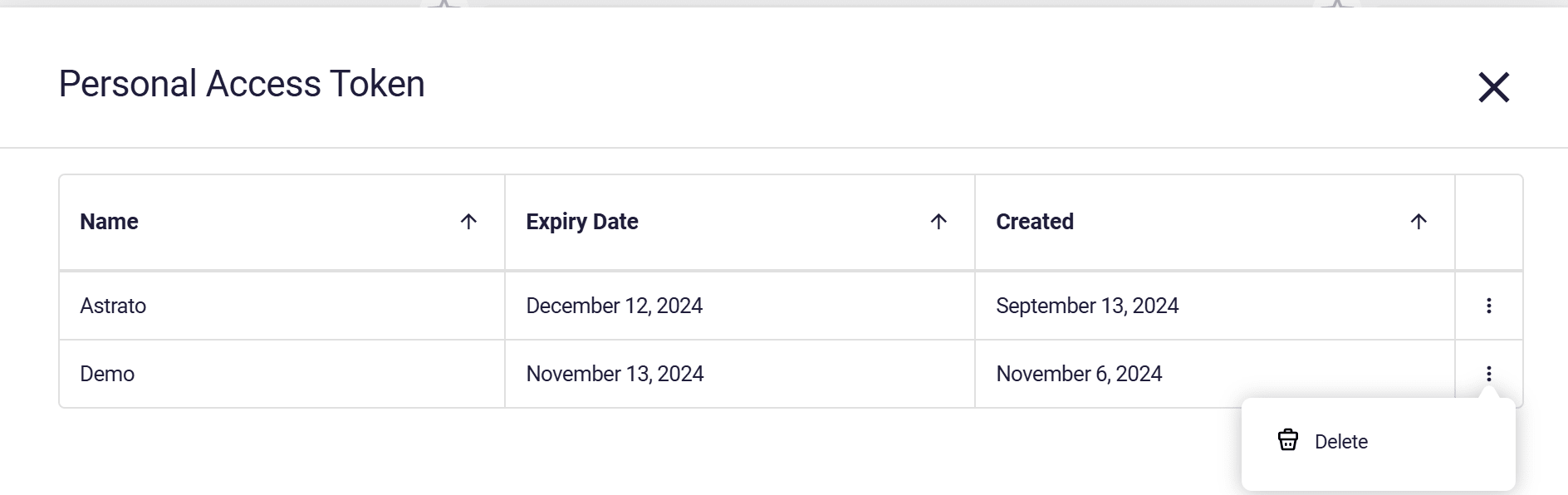
In the modal, click on the three dots on the right side of the token you want to delete
-
Click Delete.