

Manually Revoking OAuth Integration Tokens
Introduction
Section titled “Introduction”OAuth tokens are generated when a user uses a workbook or a semantic layer that uses an OAuth connection (Snowflake, Databricks).
In some cases, a user may need to reauthenticate to obtain the most up-to-date permissions from the data source.
Revoking Tokens
Section titled “Revoking Tokens”User Settings
Section titled “User Settings”- Open your account menu and choose Revoke data access tokens. This option appears when you have data-provider tokens that can be revoked.
- Review the Type, Audience, Scope, and Expires columns. The expiry is the refresh-token expiry; N/A means the provider has not supplied a value.
- Choose Revoke on the token’s row, then Confirm revoke access to revoke that token. Choose Cancel to keep it. Other listed tokens remain unchanged.
After revocation, you must consent to access that data provider again. If revocation fails, the confirmation stays open so you can retry.
Original account dialog
Section titled “Original account dialog”-
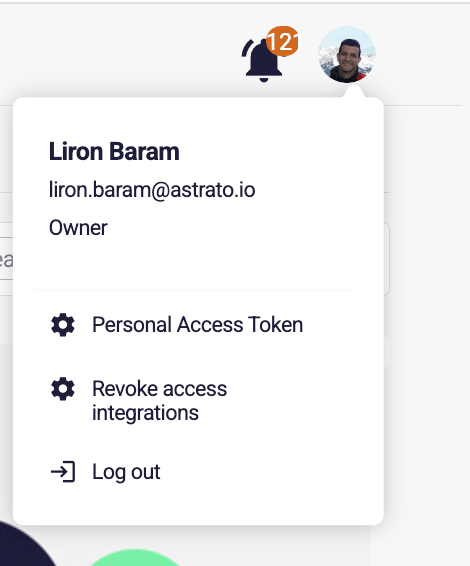
Click on your image or initials in the top right corner of the screen in the Astrato lobby.
-
Click on the Revoke access integrations button.
-
Click on the Revoke Access button
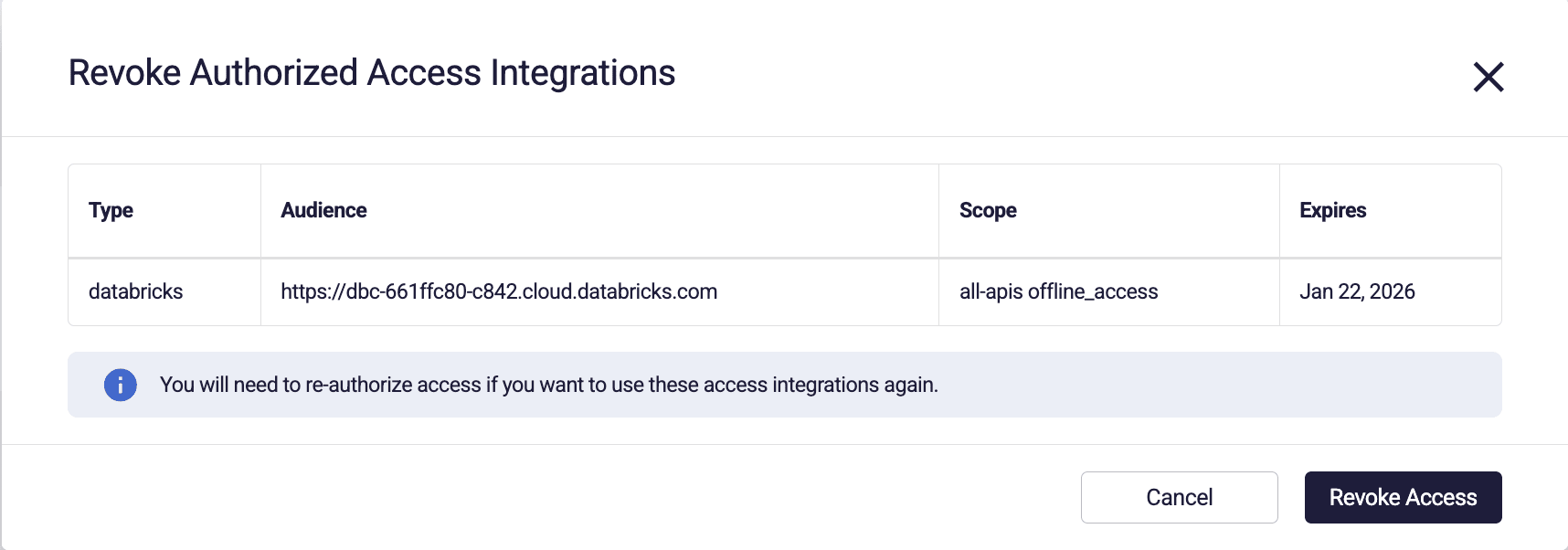
* Please note that if you have multiple tokens, all of them will be revoked