Use variables in the Excel Add-in
A variable lets a cell in your sheet drive what a dataset returns. Type a region in a cell, and the dataset can fetch results for that region. Whether it re-queries depends on its refresh mode: a dataset set to Refresh manual never re-queries on its own, and a dataset in any other mode re-queries when the cell changes.
A variable has a name (for example, Color) and a cell or range it reads from (for example, Sheet1!B2).
Create a variable
Section titled “Create a variable”Before you start: you are connected to Astrato (see Connect to Astrato).
-
Open the Astrato panel and go to Variables.
-
Select + (Add variable).
-
Name the variable.
-
Enter or pick the cell (or range) it reads.
-
Select the checkmark (Save variable), or press Enter.
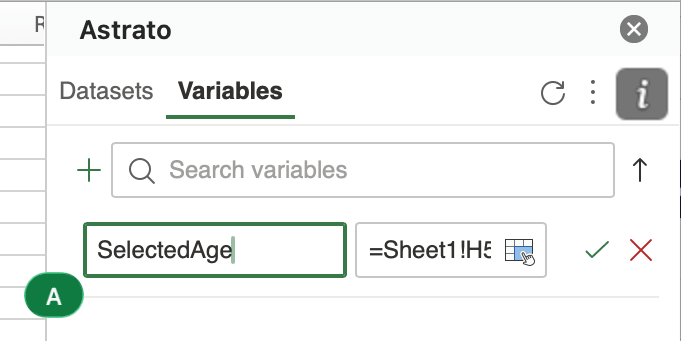
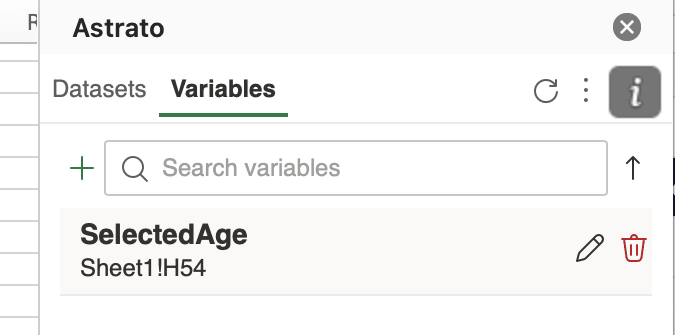
The variable appears in your Variables list with the cell it reads.
Use it in a dataset
Section titled “Use it in a dataset”In the dataset panel, find a setting that accepts a variable and map it to yours. From then on, the value in that cell is sent with the query. When you change the cell, datasets that use the variable can refresh automatically, unless their refresh mode is Refresh manual.
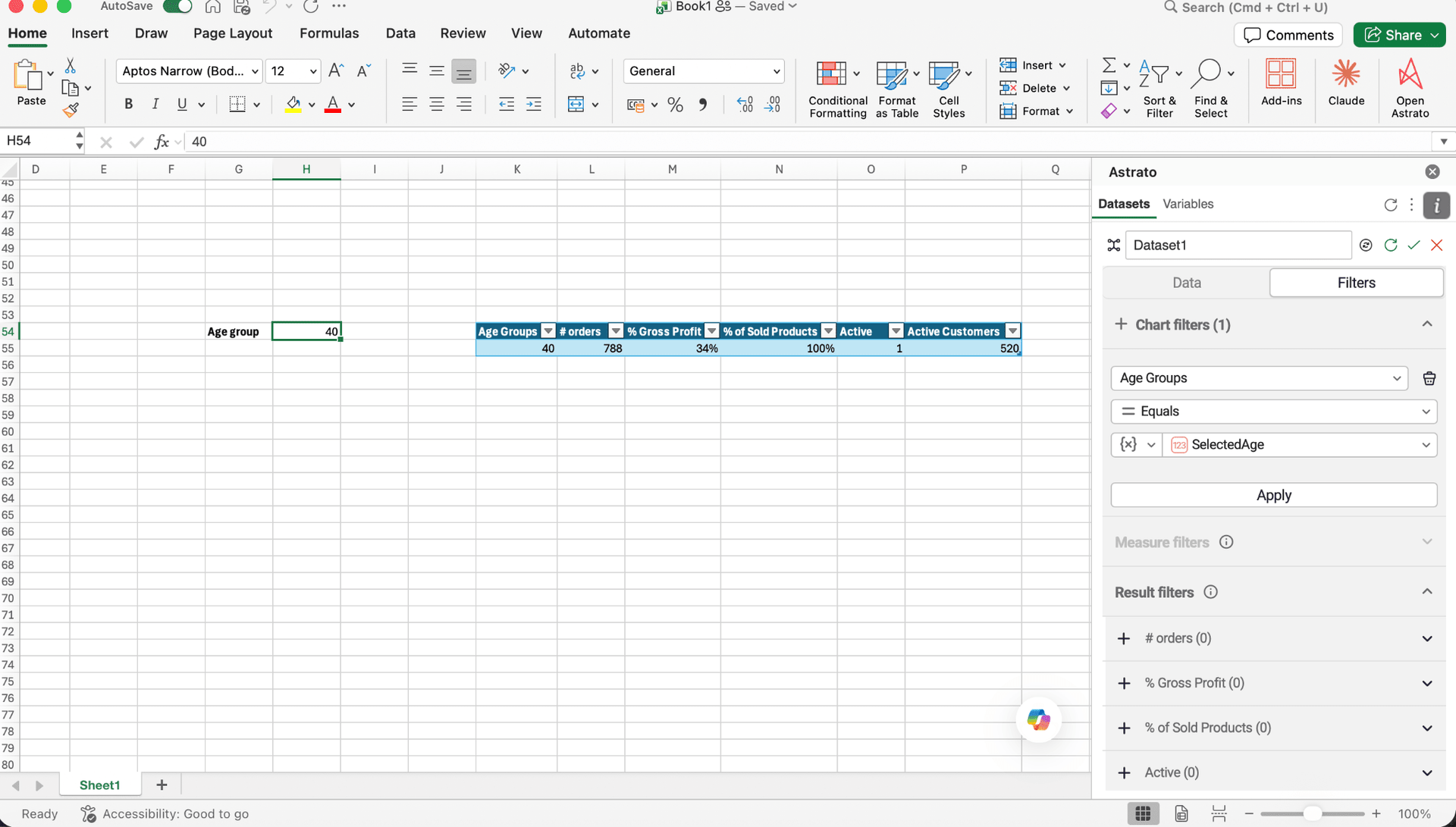
For how each refresh mode behaves, see Refresh modes in Create and manage datasets.
Read a range
Section titled “Read a range”A variable can read a range instead of a single cell, for example a list of selected regions. Blank cells in the range are ignored.
Override it for one formula
Section titled “Override it for one formula”To use a different value in one formula, override the variable inline:
=ASTRATO.TABLE("Sales", ASTRATO.VARIABLE("Color", "Blue"))This formula uses Blue; your saved variable does not change.
Turn an optional filter off
Section titled “Turn an optional filter off”If a variable drives a filter, pass NA() to switch that filter off for one formula:
=ASTRATO.TABLE("Sales", ASTRATO.VARIABLE("Regions", NA()))Variables and parameters
Section titled “Variables and parameters”Use a variable when a cell in your sheet should control the data a dataset returns. Use a parameter when you want to change how an Astrato measure calculates in a single formula. Parameters are defined on the measure in Astrato, and you override them with ASTRATO.PARAMETER; see Excel functions for the syntax and examples that combine both.
If a variable is mapped to the same measure parameter that you also override with ASTRATO.PARAMETER in a formula, the formula’s parameter wins.